
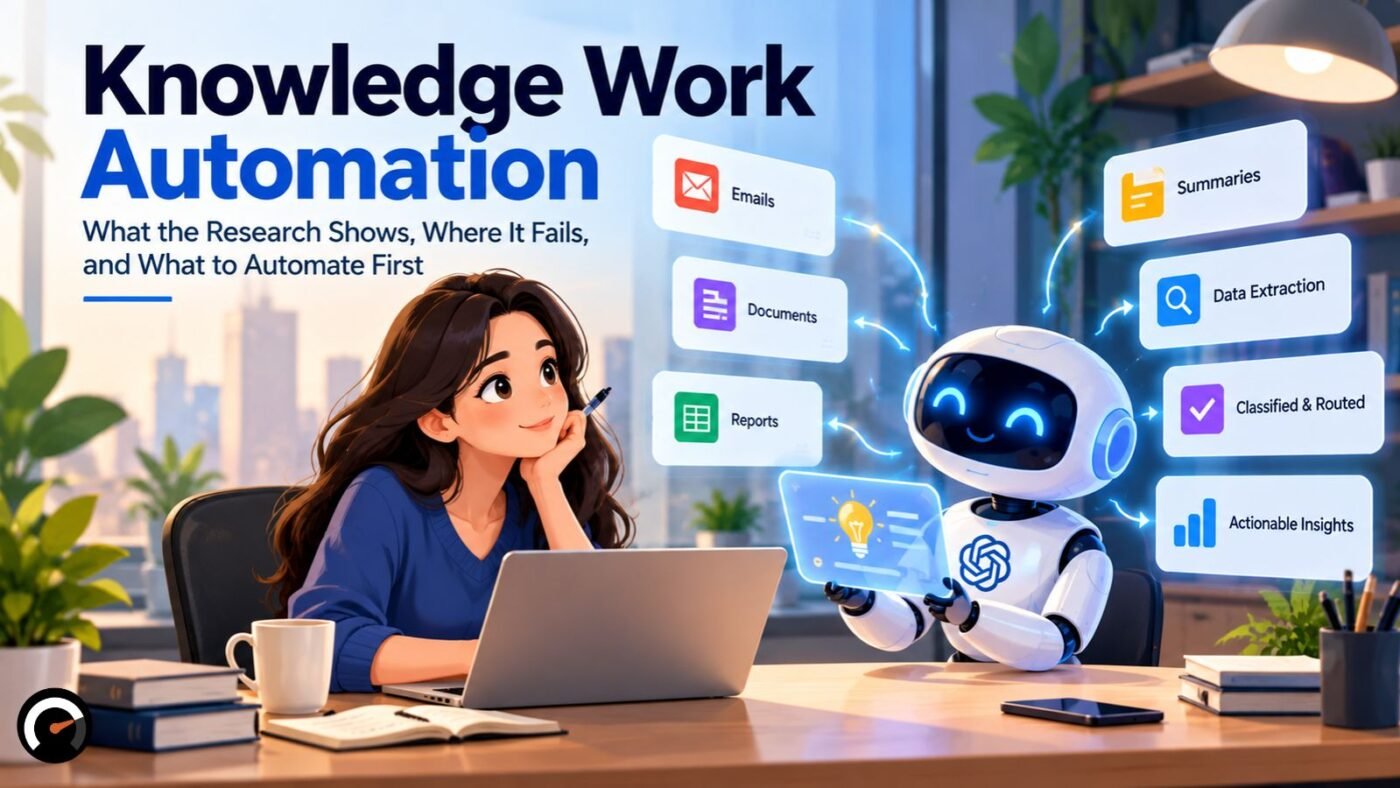
Knowledge work automation means using software to take over, or speed up, work that runs on information. That includes drafting, summarizing, searching, classifying, routing, and analyzing. AI has pushed the idea into almost every office. The research on results is messier than the sales pitch.
Some controlled experiments show large gains. Studies of whole workforces show much smaller ones. On some tasks, AI lowers accuracy, and people often don’t notice.
The useful question isn’t whether AI can do a task. It’s whether automating that task produces a net gain once you count review, correction and risk. This article covers what the evidence says and gives you a method for answering that question for your own work.
What Is Knowledge Work Automation?

Knowledge work automation is the use of software, increasingly AI, to perform or assist information-heavy tasks that once needed a person’s reading, writing or judgment.
No standards body defines the term. It isn’t new either: McKinsey listed the “automation of knowledge work” among its disruptive technologies in 2013. Today, vendors shape the definition around their products. M-Files, which uses the shorthand KWA, frames it as AI and large language models taking over everything that isn’t true knowledge work.
Three overlapping terms come up often:
| Term | What it covers | Typical example |
|---|---|---|
| Knowledge work automation | The broad label for automating or assisting information work | Any of the examples below |
| Workflow automation | Moving work between systems with fixed rules, routing, and triggers | An approved invoice moves to the payment queue |
| AI-assisted knowledge work | AI drafts, summarizes, retrieves, or analyzes, with a person checking | A model drafts a client reply for an agent to edit |
These categories describe how the terms are used in practice. They are not an official taxonomy.
How Is Knowledge Work Automation Different From Traditional Automation?
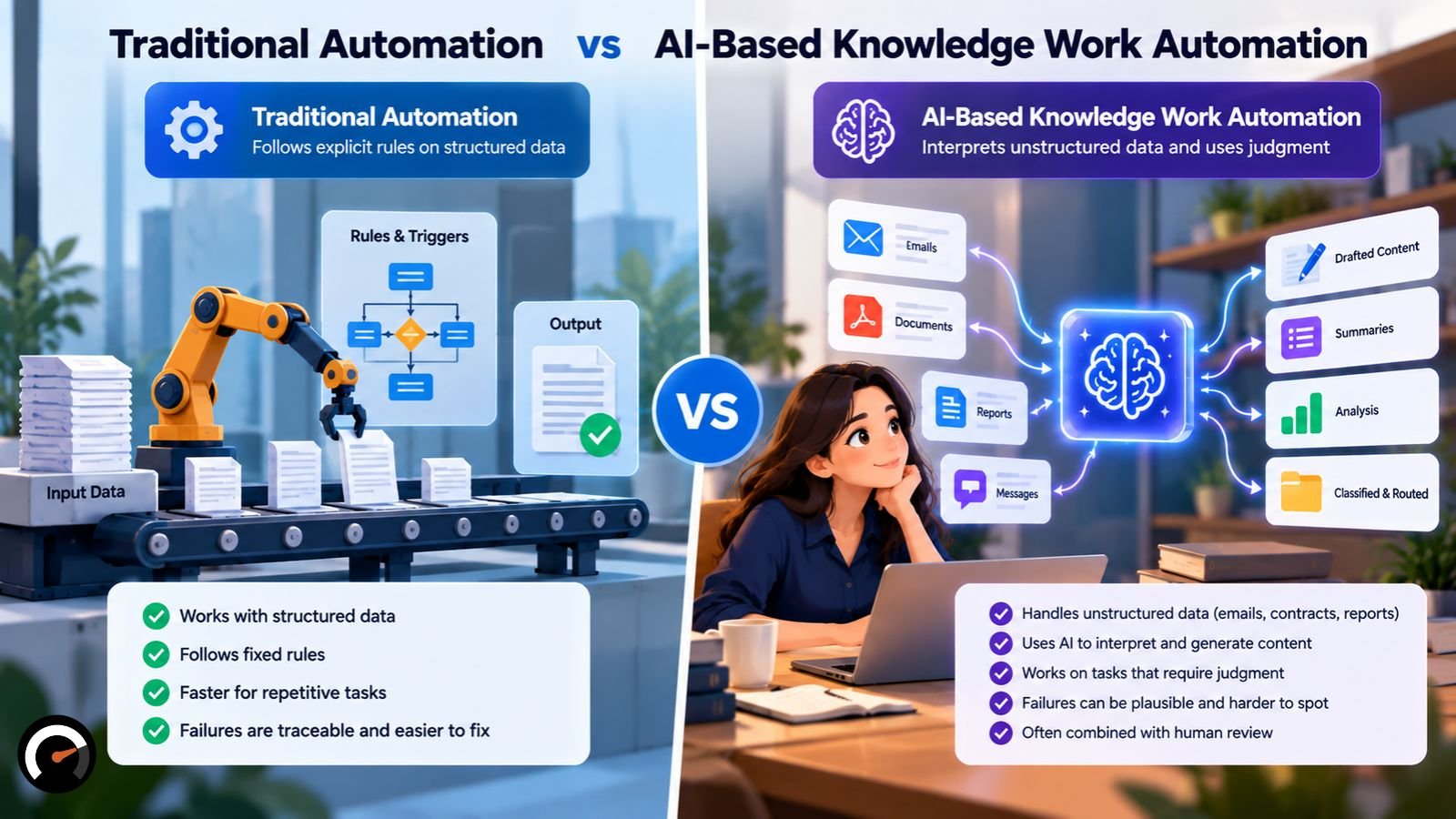
Traditional automation follows explicit rules on structured data. AI-based knowledge work automation interprets unstructured material, such as emails, contracts and reports, where the task needs judgment.
The line between the two has never been clean. Robotic process automation (RPA) ran through banks, insurers and back offices long before generative AI. Document-processing tools were reading invoices and forms years before large language models.
The more useful difference is how each type fails:
- Rule-based automation fails traceably. A script can process bad input or apply a faulty rule, but you can usually find the broken rule and fix it.
- AI-based automation fails plausibly. A language model can produce confident, well-formatted, wrong content, and nothing visible signals the problem.
That difference decides how much checking a workflow needs. Most real processes mix both kinds of steps. Drawing the line between rules versus AI judgment usually comes before choosing a tool.
What Tasks Can Knowledge Work Automation Handle?
Knowledge work automation handles drafting, summarizing, searching, classifying, extracting data, and routing work. Results depend on the task, the tool, and how easily a person can check the output.
| Task | Starting approach | What a person should check |
|---|---|---|
| Meeting notes | Generate a draft | Decisions, names, action owners |
| Internal knowledge search | Retrieve source documents | The answer against the cited source |
| Report drafting | Draft from approved data | Figures and conclusions |
| Customer replies | Suggest responses | Sensitive or unusual cases before sending |
| Data extraction from documents | Extract to fields | A sample of records against the originals |
| Financial or legal conclusions | Keep AI in a supporting role | Everything; accountability stays with a qualified person |
This table is practical guidance, not proof that any tool works for each use. Review effort should match the risk. A person checks every output during a pilot. Once the error rate is known and low, high-volume, low-risk tasks can move to sampled review, with unusual cases routed to a person.
Does Knowledge Work Automation Improve Productivity?
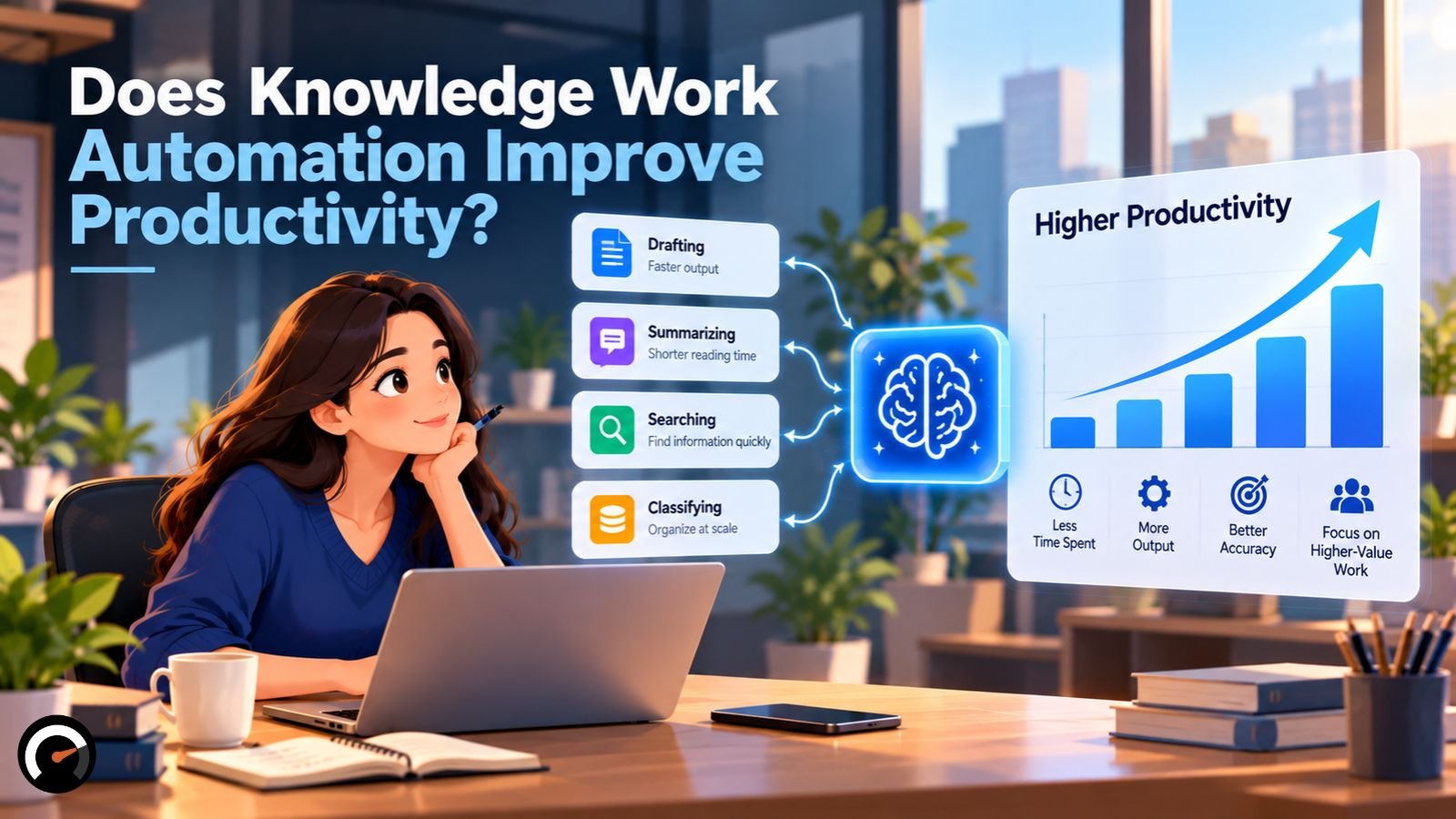
Yes, on tasks that suit the tool. The size of the gain depends on the task, the setting and what a study measures, so no single productivity figure applies across knowledge work.
Most published results come from tools available between 2023 and early 2025. Newer models may change the numbers. The patterns below are more durable than the exact percentages.
Experiments on defined tasks show large gains
Consultants (Harvard/BCG). Researchers randomly assigned 758 Boston Consulting Group consultants to work with no AI, with GPT-4, or with GPT-4 plus prompt training. On 18 tasks within AI’s capability, consultants using AI completed 12.2% more tasks and worked 25.1% faster. Their output was rated more than 40% higher in quality. The paper, “Navigating the Jagged Technological Frontier,” was the lead article in the March–April 2026 issue of Organization Science.
Customer support (Quarterly Journal of Economics, 2025). The study by Brynjolfsson, Li and Raymond followed 5,172 customer-support agents. AI assistance raised issues resolved per hour by 15% on average. Less experienced agents gained the most in speed and quality. The most experienced agents saw small speed gains and small quality declines.
An average gain can hide a different result for your strongest people.
Workforce-wide studies show smaller effects
- Denmark. Economists Anders Humlum and Emilie Vestergaard linked AI chatbot adoption surveys to employer records for about 25,000 workers in 11 exposed occupations. Their working paper found average time savings of about 3% and no measurable effect on earnings or hours.
- Microsoft 365 Copilot field experiment. This six-month study covered 7,137 knowledge workers across 66 firms. Workers who used the tool spent about two fewer hours on email per week. The researchers found no detectable change in the quantity or mix of their other tasks.
These studies measure different things. Experiments test defined tasks under controlled conditions. Workforce studies capture adoption rates, coordination, review work, and tasks the tool can’t touch, which dilutes the average gain.
Self-reported time savings are unreliable
In early 2025, the research group METR ran a randomized trial with 16 experienced open-source developers working on 246 real tasks in their own codebases. With the AI tools of the time, they took 19% longer. Afterward, they still believed AI had made them about 20% faster.
METR has since said developers are likely getting more speed-up from newer tools. A February 2026 follow-up could not measure the size of that change reliably, because many developers no longer wanted to work without AI. The slowdown figure is now dated. The perception gap is the lasting lesson: how fast people feel is not a measurement.
Where Does Knowledge Work Automation Fail?
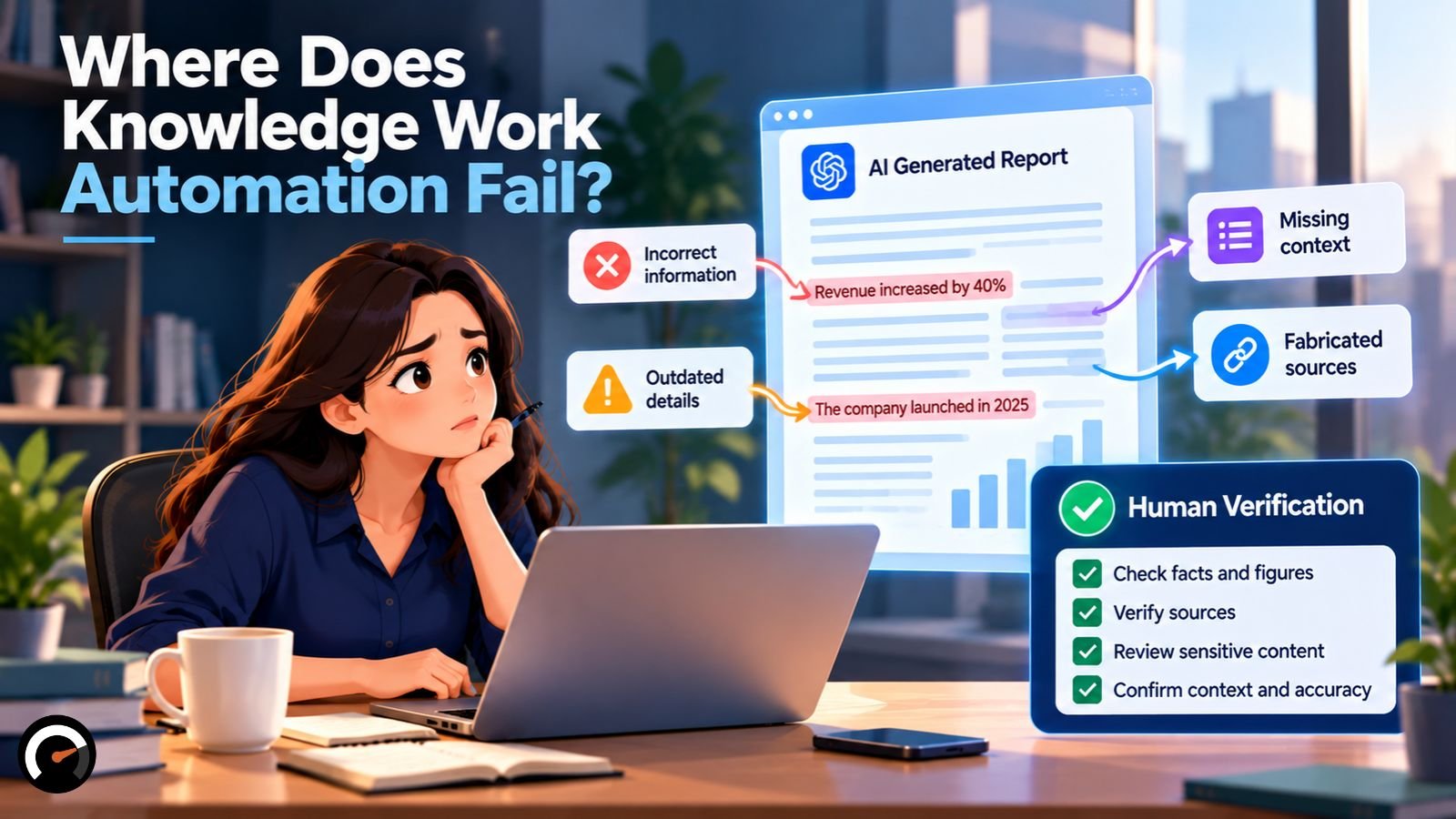
Knowledge work automation fails on tasks just outside the AI’s capability, and users often can’t tell which tasks those are.
The Harvard/BCG authors call this the jagged technological frontier. AI handles some tasks easily and fails on others that look similar in difficulty. The boundary isn’t visible from the outside.
Accuracy can drop when AI sounds convincing
In the BCG experiment, one business-problem task was deliberately chosen to fall outside the frontier. Consultants using AI were 19 percentage points less likely to reach the correct answer than consultants working without it.
That result comes from a single task. It still shows the core risk: a plausible AI answer can pull a capable professional away from the right one.
Faster research is not always better research
A July 2026 randomized field experiment tested 128 knowledge workers at one multinational industrial firm on three task types. GenAI improved efficiency on all three. Quality rose for packaging and creating knowledge, such as writing documents. Quality fell for acquiring knowledge, the task of finding and understanding information.
One company and three task types can’t settle the question for all research work. The finding is still a warning for teams that adopt AI mainly for search and research: speed and quality can move in opposite directions.
Unchecked output shifts work to colleagues
Researchers at BetterUp Labs and the Stanford Social Media Lab coined the term workslop for AI-generated work that looks finished but lacks substance. In their survey of 1,150 US workers, about 40% said they had received workslop in the past month. Recipients reported spending close to two hours on each instance.
The survey didn’t measure how much time AI saved the same workers, so it doesn’t capture net effects. It does show where hidden costs land: the sender saves time, and the reviewer pays it back.
Two patterns of human-AI collaboration
The BCG researchers observed two ways consultants worked with AI:
- Centaurs divided the work, deciding which tasks to hand to AI and which to keep.
- Cyborgs integrated AI throughout, checking and steering it step by step.
Neither pattern guarantees good results. Both depend on the person judging which work to delegate and how to verify it.
How Do AI Agents Change Knowledge Work Automation?
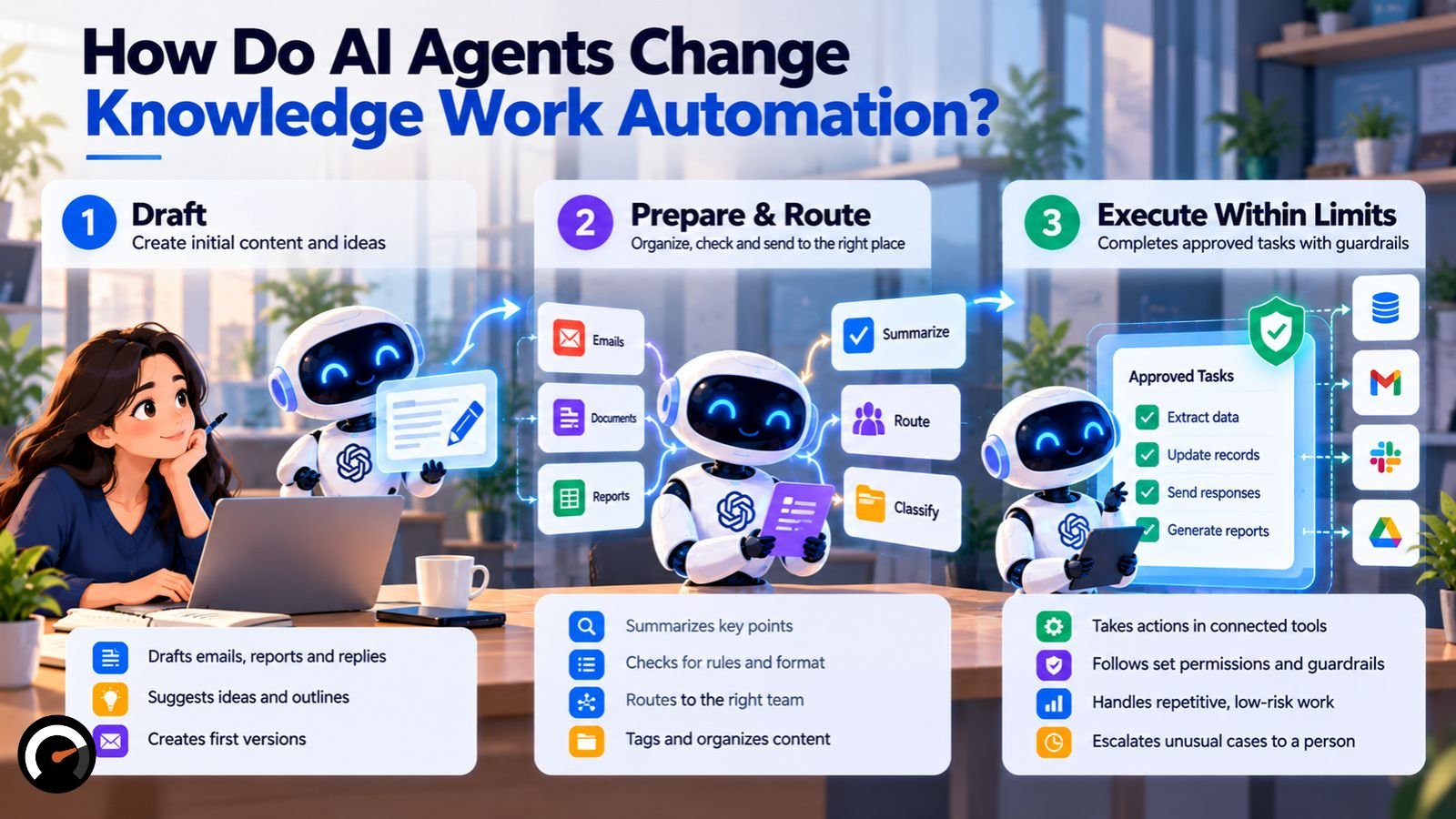
AI agents move knowledge work automation from assisting a person to carrying out multi-step work. An agent receives a goal, chooses actions, uses tools such as email, files, or databases, and adjusts based on results.
Most of the research above studied assistants: a person asks, AI answers, and the person decides. Agents can act before anyone reviews the result. Understanding how AI agents actually work clarifies where the extra risk comes from.
Agents raise three problems that assistants don’t:
- Errors compound. A mistake early in a task shapes every step after it.
- Permissions create exposure. An agent with access to email, records or payment systems can cause real damage when it is wrong or manipulated.
- Review gets harder. A single draft is easy to check. A chain of actions across systems is not.
Benchmarks explain the interest anyway. OpenAI’s GDPval benchmark found that the best frontier model’s work on expert-designed tasks from 44 occupations was rated as good as or better than an expert’s in close to half of cases. The tasks were one-shot, though, so the benchmark doesn’t capture work that needs context or several rounds of revision.
Three levels of agent autonomy
Autonomy should grow with evidence. This model is a suggested way to stage it, not an industry standard:
| Level | What the AI does | Example | Move up when |
|---|---|---|---|
| 1. Draft | Produces content or suggestions; a person decides | Drafting an internal report | Output is consistently usable with light edits |
| 2. Prepare and route | Extracts data, applies checks, prepares an action for approval | Preparing an invoice for payment review | Approvals rarely change what the AI prepared |
| 3. Execute within limits | Takes preapproved, low-risk, reversible actions with logging and exception rules | Filing a verified document in the right folder | Errors are rare, detectable and cheap to reverse |
Governance checks before granting access
Before any agent or AI tool touches company systems, confirm:
- Data handling. You know what data the tool sends out, where it is stored and whether the provider retains it.
- Least privilege. The tool has read or write access only to the systems the task needs.
- Logging. Every action can be traced to a time, an input and an outcome.
- Accountability. A named person owns each workflow and approves changes to its permissions.
- Fallback. The process keeps running manually if the tool fails or is switched off.
Will Knowledge Work Automation Replace Jobs?
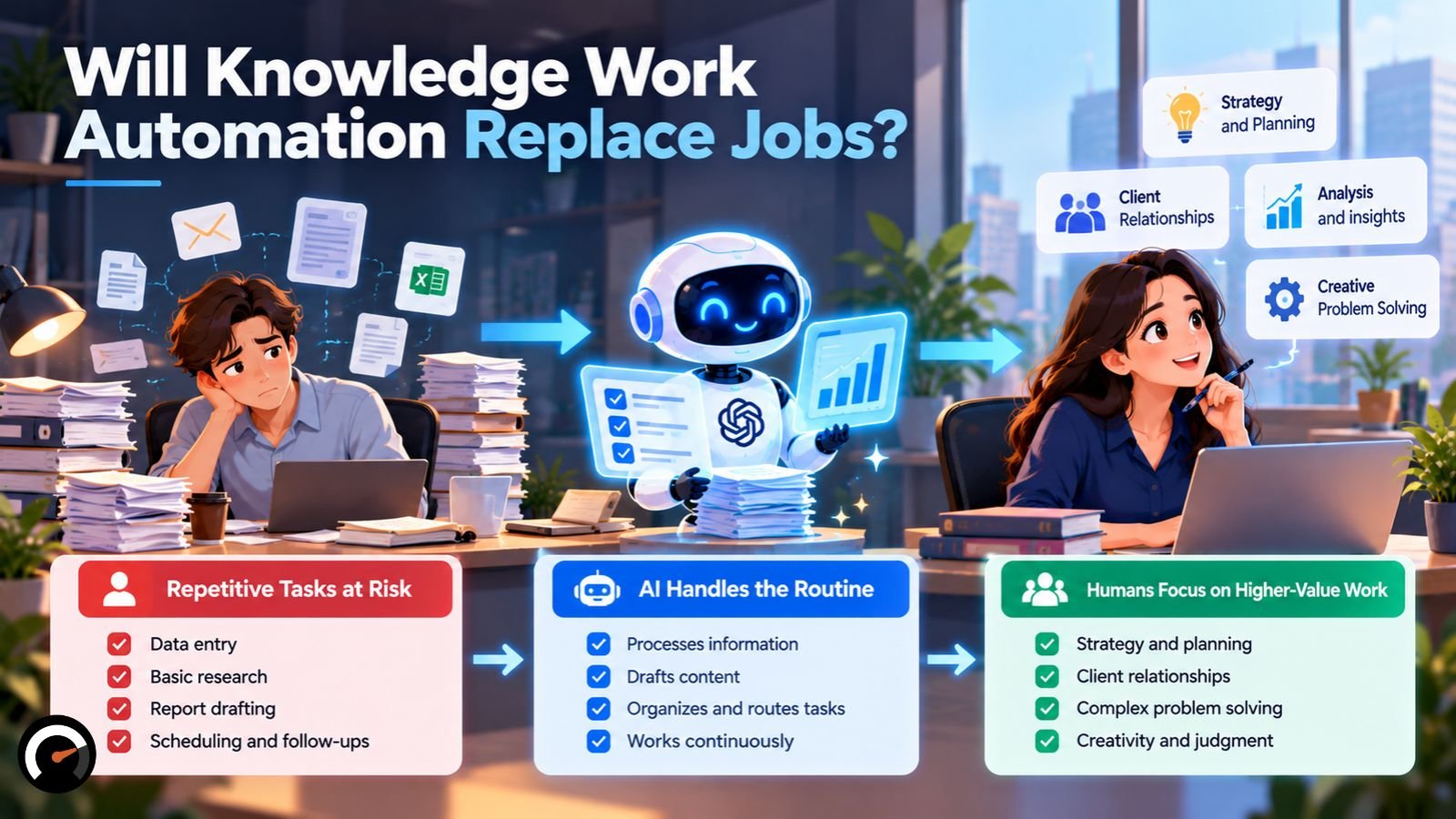
The evidence so far shows task change for most workers, no widespread displacement and a widening hiring gap for young workers in highly exposed occupations.
Three kinds of evidence measure different things:
| Source | What it measures | Key finding |
|---|---|---|
| ILO, 2025 | Estimated occupational exposure to GenAI | One in four workers is in an occupation with some exposure |
| World Economic Forum, 2025 | Employer expectations to 2030 | 170 million roles created, 92 million displaced |
| Stanford Digital Economy Lab, 2026 | Actual US payroll employment | Ages 22–25 in highly exposed jobs about 19% below their expected trend |
Exposure: most jobs change rather than disappear
The International Labour Organization’s refined global exposure index found that one in four workers globally is in an occupation with some GenAI exposure. Only 3.3% of global employment sits in the highest exposure category, and clerical occupations rank highest. The ILO expects most affected jobs to be transformed rather than made redundant. Exposure measures potential, not job losses.
Employer forecasts: churn, with net growth
The World Economic Forum’s Future of Jobs Report 2025 projects structural disruption affecting 22% of jobs by 2030, with a net gain of 78 million roles. The figures come from a survey of more than 1,000 large employers. They cover technology, economic, demographic and green-transition trends together, so they don’t isolate AI’s effect.
Payroll data: a widening gap for early-career workers
Stanford economists Erik Brynjolfsson, Bharat Chandar and Ruyu Chen track US employment using ADP payroll records. Their August 2026 revision uses data through June 2026. It finds employment of 22- to 25-year-olds in highly AI-exposed occupations about 19% below where it would be if it had kept pace with similarly aged workers in less-exposed occupations. The gap was 15% a year earlier.
The researchers say they see no widespread job displacement across the economy. The 19% figure is a relative gap against a comparison trend. It is not a count of jobs that AI directly eliminated. The researchers report that the adjustment has come mainly through fewer hires rather than more layoffs.
What task automation does to a role
When AI takes over tasks inside a job, employers can respond in several ways:
- The same people handle the same workload in less time.
- Output grows without new hiring.
- The role shifts toward review, exceptions and client-facing judgment.
- Fewer entry-level tasks remain for new hires to learn on.
- Some roles shrink when enough of their work becomes automatable.
These are possible outcomes, not predictions for any one employer. The payroll data suggests the fourth outcome is already showing up: routine tasks that once trained junior staff are the first ones AI absorbs.
How Do You Decide Which Tasks to Automate?
Automate tasks that are frequent, clearly defined, quick to check, cheap to get wrong, and largely covered by the tool. Keep human ownership where errors are costly or hard to spot.
Use this five-question screen before committing budget. It is an editorial framework built on the research above, not a validated scoring instrument.
| Question | Favorable signal | Warning sign |
|---|---|---|
| How often does it happen? | Repeated throughout the week | Rare or one-off |
| Can you define a good result? | Clear inputs and success criteria | Ambiguous or disputed |
| How fast can you verify it? | Quick, reliable checks | Review takes as long as the task |
| What does an error cost? | Low and reversible | Expensive or irreversible |
| How much of the workflow does the tool cover? | AI removes meaningful work | Most steps stay manual |
The last question catches a common trap. A task can pass the first four and still save little, because a person still gathers the inputs, switches between systems and finishes the remaining steps.
A task that passes all five, such as an internal first draft, is a sensible start. Moreover, a task that fails the verification or error-cost question needs a human reviewer, however good the demo looks. Many tasks land in the middle and suit augmentation versus full automation, where AI drafts and a person decides.
How Do You Measure Knowledge Work Automation Results?
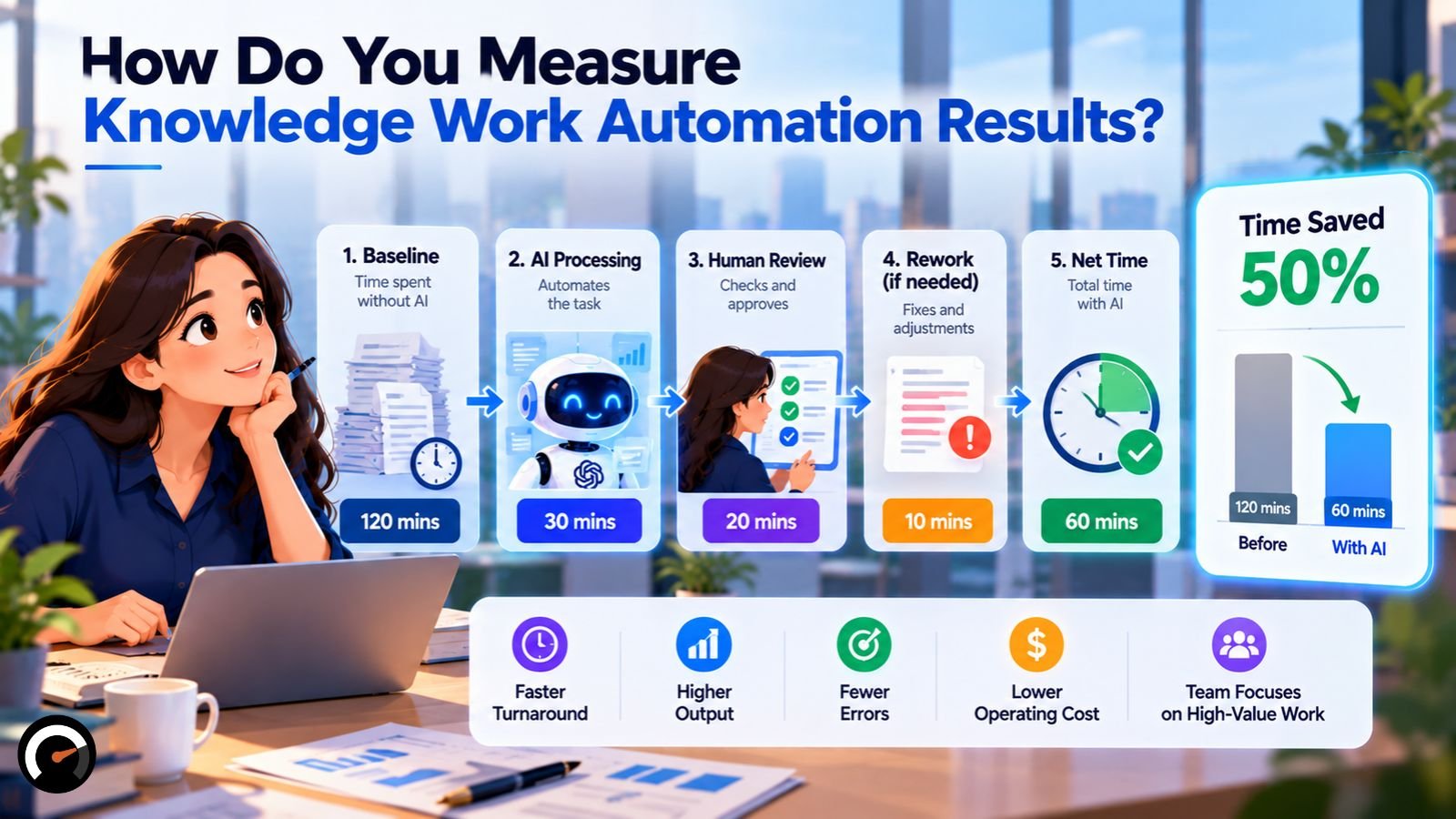
Measure net time saved across the whole workflow: baseline time minus automated time, where automated time includes AI processing, human review, correction and exception handling.
| Illustrative example: 100 tasks per month | Hours |
|---|---|
| Baseline time without AI | 20 |
| AI processing and setup allocated to the month | 4 |
| Human review | 8 |
| Correction and rework | 3 |
| Net time saved | 5 |
These numbers are illustrative, not research findings. The example assumes both workflows produce acceptable output. A tool that “cuts drafting time by 80%” can still save only a quarter of total effort once review and rework are counted.
Track these figures before and after:
- Time per completed task, including review, correction and rework
- Error rate and severity, since one serious error can outweigh many minor ones
- Rework and escalation rates, including work colleagues send back
- Quality or customer outcomes, such as resolution rates or client feedback
- Total cost, including software, setup, training and oversight time
Time saved does not automatically become money saved. The value depends on what the team does with the recovered hours. Compare every figure against your own baseline, since published results come from other settings and older tools. A free task automation audit can frame the cost side before a pilot starts.
How Should a Team Start Automating Knowledge Work?
Start with one task that passes the five-question screen, run a measured pilot, and expand only when net results justify the cost and risk.
- Record a baseline. Capture current time, cost, and error rate for the task.
- Test on real examples. Include difficult and unusual cases, not just clean ones.
- Compare outputs side by side. Judge the tool’s work against your current process.
- Set rules before launch. Define who approves output, when work escalates and what happens when the tool fails.
- Review everything at first, then sample. Move to spot checks only after the error rate is known and acceptable.
- Calculate net time saved. Use the full-workflow method above, not the speed of the first draft.
- Raise autonomy one level at a time. Expand volume or permissions only when measured results support it.
When Is Knowledge Work Automation Worth It?
Knowledge work automation is worth testing when a task has clear success criteria, the output can be checked reliably, and the time saved exceeds the cost of review and rework. Start with one task, measure the complete workflow, and expand only when the results justify the added risk.
Frequently Asked Questions
Q. Which skills are hardest to automate?
No verified ranking exists. The research points to two skills that keep their value: judgment on poorly defined problems, and the ability to verify AI output. In the BCG experiment, consultants lost accuracy on the task where the AI was wrong but convincing.
Q. Which jobs are safest from AI?
No credible source gives a definitive list. In the ILO’s exposure index, occupations involving physical work, in-person care, or interpersonal tasks show lower exposure, while clerical work shows the highest. For most occupations, the ILO expects change rather than disappearance.
Q. Is automation a job killer or a job creator?
Forecasts say both. The World Economic Forum expects 170 million roles created and 92 million displaced by 2030. US payroll data shows no widespread displacement so far, but a growing hiring gap for young workers in highly exposed occupations.
Q. What are the main types of workplace automation?
Sources group them differently. For office work, a practical split is rule-based workflow automation, RPA, AI document processing, AI assistants, and AI agents. These run roughly from the most predictable to the most autonomous.
Q. What are the best knowledge work automation tools?
The right tool depends on the task. Choose a category first: workflow automation, enterprise search, writing assistants, document processing or agents. Then test candidates on your own tasks against your own baseline.
Q. How do I start automating knowledge work as a beginner?
Pick one frequent, low-risk task. Automate only that task and check every output until you can predict where the tool fails. Expand from there.
For more, visit: AIWorkAudit
| Disclaimer: This article is for informational and educational purposes only. The research findings, productivity statistics, and examples discussed reflect specific studies and may not apply to every organization or workflow. AI automation results vary depending on the tools, tasks, implementation, and human oversight involved. Readers should independently evaluate AI solutions, verify important outputs, and consider potential risks before making business, financial, or employment decisions. This content does not constitute professional business, legal, or financial advice. |
Test this on a real task
The audit is free and takes about ninety seconds. It returns a verdict, a readiness score and the supervision the task would need.
Run the audit