
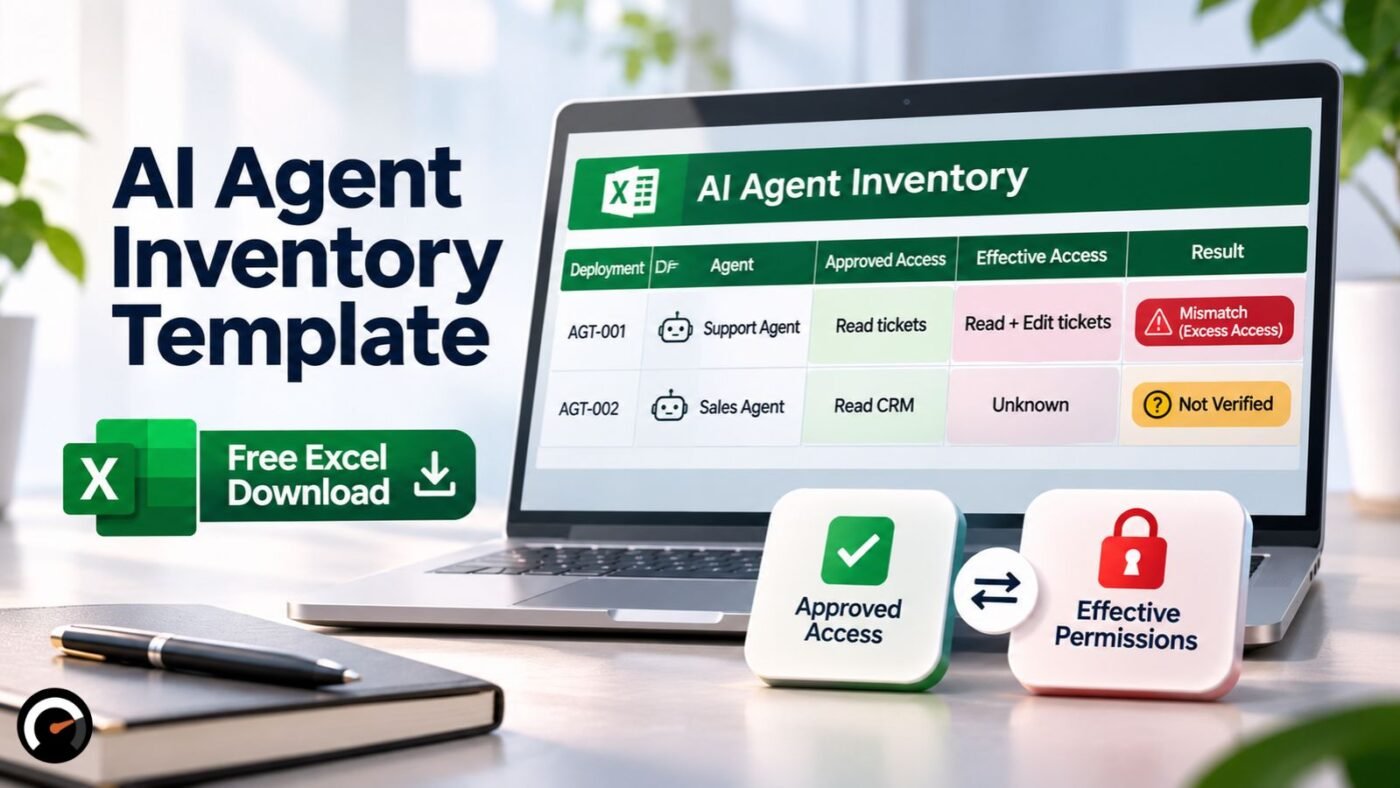
Use this free Excel template to inventory the AI agents your organization has deployed: who owns each one, what it may do, and what its connected accounts can actually do. It is a register of deployed AI agents, not a tool for managing stock. Overall, the workbook holds four sheets: a start-here guide, two blank registers, and one completed support-agent example.
Last reviewed: November 24, 2026.
Download the free AI agent inventory template for Excel
[Download the AI agent inventory template (.xlsx)]
| Workbook sheet | What it’s for |
|---|---|
| Start Here | Quick-start instructions, a field guide, and an explanation of the color flags. |
| Agent Inventory | A blank register for owners, deployments, identities, approved actions, status, and review dates. |
| Connector Access | A blank sheet that compares approved access with effective permissions for each connected tool or account. It includes a verification_result field (confirmed match, confirmed mismatch, unknown, or not checked) and a field for referencing activity evidence. |
| Fictional Example | A completed support-agent record with two different findings: a confirmed excess-access mismatch and access that nobody could verify. |
The workbook is a manual register. It doesn’t collect logs or discover deployments. Instead, start with one workflow and verify its records before you expand. You can also copy the fields below into your own spreadsheet.
Quick start
- In Agent Inventory, enter one row per distinct deployment, each with a unique deployment_id. Add a new row when a deployment runs under a different environment, identity, permission set, or approval boundary. When an existing deployment changes, update its row and reverify it.
- In Connector Access, reuse that deployment_id for every connected tool, account, or distinct permission set.
- Record an evidence reference for what you checked. If you can’t verify effective access, enter Unknown in effective_access, select Unknown in verification_result, and assign an issue owner and due date.
- Set next_review on each deployment and action_due on every open connector item.
What should an AI agent inventory include?
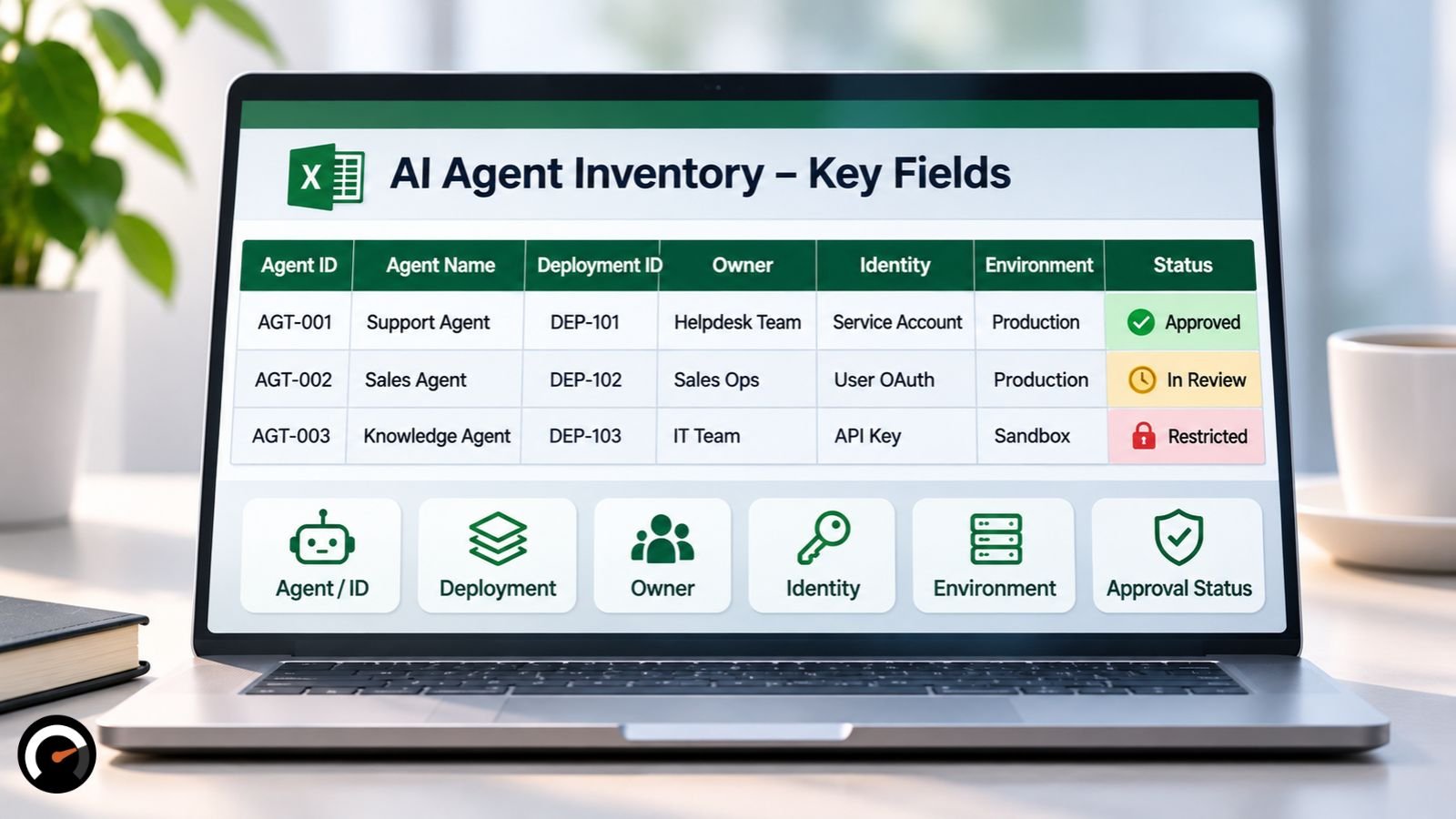
An AI agent inventory is a register of the agents your organization uses. It records who owns each deployment, what the agent should do, what it can reach, and when someone last verified those details.
Give each agent a stable ID and each deployment its own row. One deployment can run many times, so skip a row per run. A sandbox and a production deployment can share an agent ID, but separate deployment IDs let a reviewer tell which configuration got approved and which one can reach customer data.
Fields to record for each deployment
| Field | What to record |
|---|---|
| Agent and deployment IDs | A stable ID for the agent and a reference you can match to the deployed workflow. A display name alone may not distinguish two deployments. |
| Business and technical owners | Who decides whether the workflow should operate, and who can change or stop it. In a small team, one person may hold both roles. |
| Purpose, environment, and version | The job the agent does, where it runs, and the workflow version you verified. Add model_or_vendor_version when it matters to the approval, and mark it Unknown if you can’t verify it. |
| Identity | The service account name or principal ID in identity_used, plus whether it is the agent’s own identity or a shared service account. When a connector uses a different identity, record it on the Connector Access sheet. Never enter a password, token, or other credential. |
| Action limits | What the agent can do alone, what needs approval, and what it must never do. “A person sends the final reply” beats “human-in-the-loop.” |
| Lifecycle and approval status | Track what’s running separately from what someone approved. A deployment can run while its approval is pending or covers only a narrower action. |
| Verification and review | The date someone checked the deployment, the records they used, any open issue, and the next review date. Editing a row is not the same as verifying it. |
What counts as an agent in scope?
Decide what counts as an in-scope agent before you start. Agents arrive by several routes: workflows your team built, agents created on a platform such as a workflow or agent builder, AI features embedded in SaaS tools, and assistants that employees install themselves along with any MCP servers or plugins they connect. Then list the agents and assistants on Agent Inventory and their MCP servers or plugins on Connector Access. However, finding them is the harder part, and the maintenance section below covers it.
How this relates to NIST’s AI RMF
In NIST AI RMF 1.0, GOVERN 1.6 sets an outcome: organizations have mechanisms to inventory AI systems, with resources matched to their risk priorities. Additionally, the voluntary AI RMF Playbook suggests actions for that outcome. NIST’s term is “AI systems,” so this workbook applies the same principle to deployed agents. However, it is not a NIST-required format and it proves nothing about compliance. NIST also says it is revising AI RMF 1.0, so check the current text before you cite it.
Record approved access, effective access, and observed activity separately
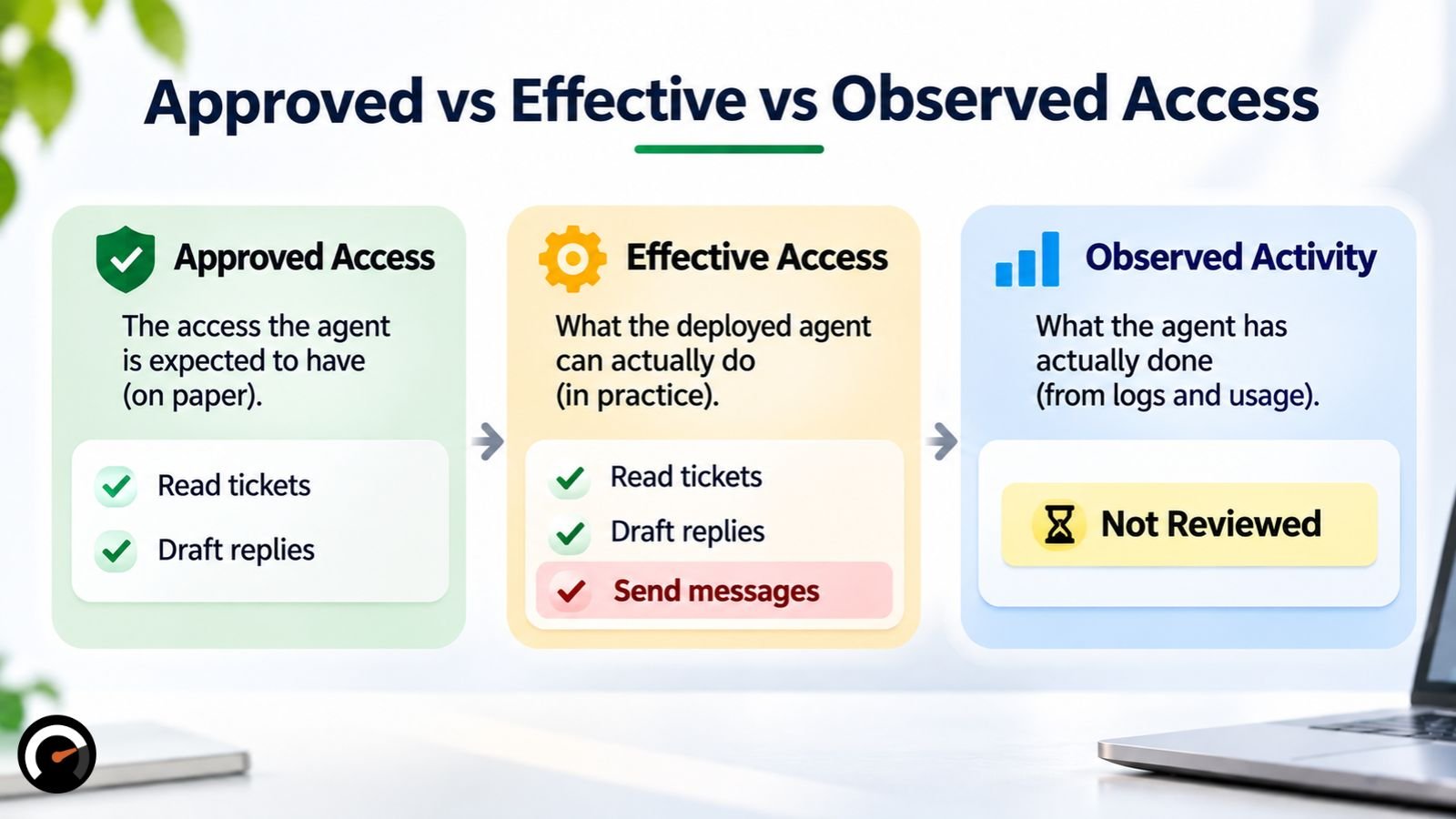
Take a hypothetical support agent that has approval to draft replies but not send them. The live workflow exposes a Send action, and the agent’s help desk account holds permission to use it. The inventory says one thing while the deployed system allows another. Therefore, the template exists to catch that gap, name the person who fixes it, and define how you’ll know the fix worked.
The three kinds of access to record
To track this, use Connector Access to record the connected tool, the account or principal, the data scope, and the evidence you checked. Also, add a separate row when the same connector runs under a different account or permission set.
- Approved access is what current policy or approval allows.
- Effective access is what the deployed workflow and its assigned identity can do when you check.
- Observed activity is what logs or destination records show happened. Enter a reference in observed_activity_ref, or mark it not reviewed, because the workbook collects no logs.
How to judge effective access
To judge effective access, check the actions the deployed workflow exposes, the grants on the identity it uses, and any enforced approval or runtime policy that could block the action. A broad grant deserves review even when you can’t verify that the agent can invoke every action it allows. If you can confirm the grant and the exposed action but not the blocking controls, record what you confirmed and mark effective access Unknown. Unknown does not mean no access, and permission does not prove use.
Agent identity and NIST’s design tenets
In October 2026, NIST and MITRE authors published ten proposed design tenets for agent identity management on NIST’s Cybersecurity Insights blog. They describe an initial set, not a formal standard. Specifically, the first tenet calls for agent identities that stay distinguishable from human users and service accounts and, ideally, tie to a workload, environment, and approved configuration. For an inventory, that means a reviewer can tell the agent’s own identity apart from the person it acts for. The practical case for named, scoped agent identities rests on the same logic: each action traces back to one accountable person.
Notably, the fictional deployment below runs on a service account, which is the kind of identity that tenet wants agents to stand apart from. Record the identity type beside the account name in identity_used, and the gap stays visible.
Finally, keep raw customer records out of the workbook. Store supporting evidence in an access-controlled location and enter a reference that an authorized reviewer can resolve.
Completed example: a support agent with excess access
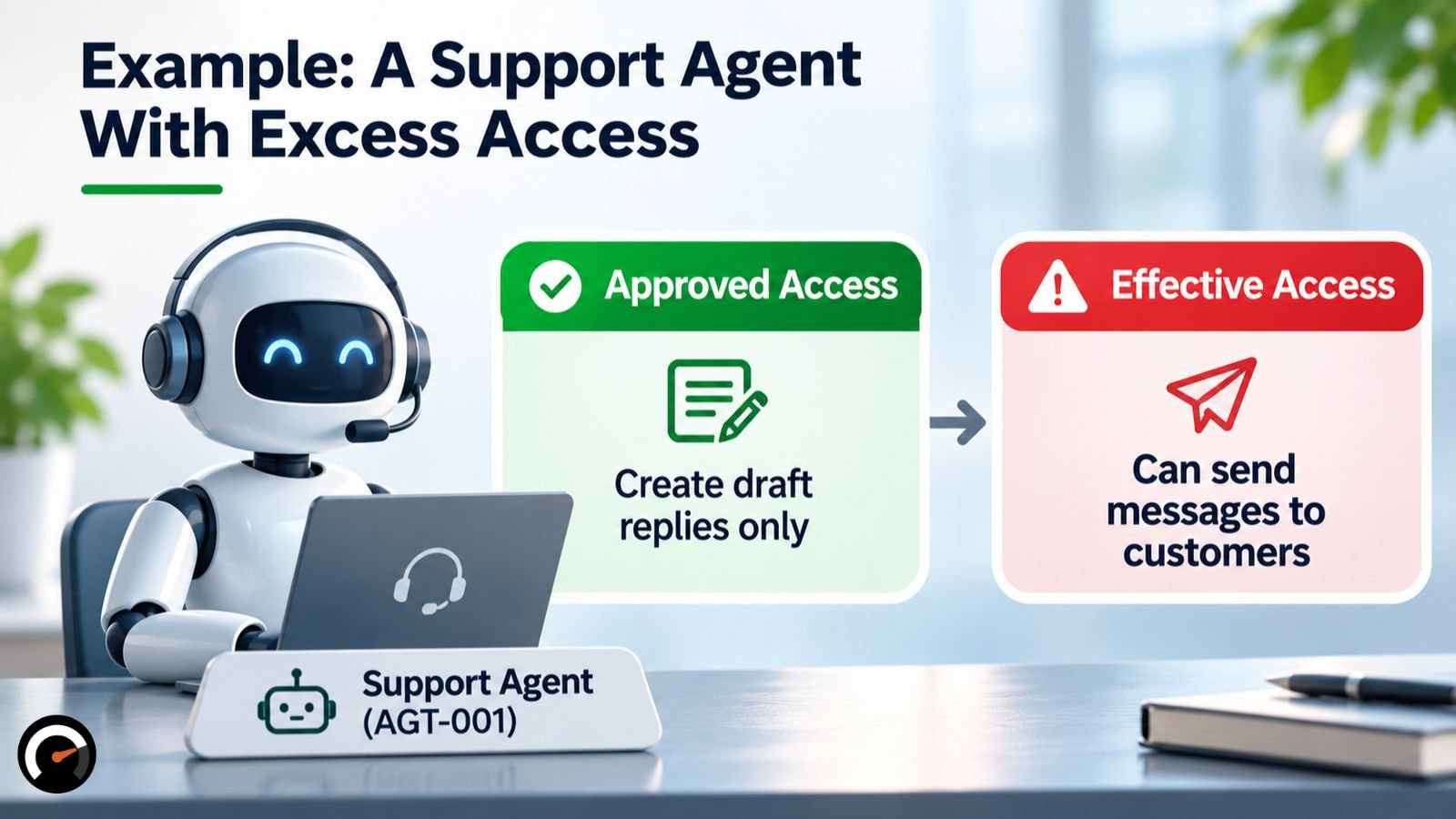
Fictional example. The people, deployment, permissions, and evidence references below illustrate how to use the template. They are not findings from a real audit, and all dates are relative to the fictional review.
| Inventory field | Completed entry |
|---|---|
| Agent and deployment | AGT-014 / AGT-014-PROD — Support Reply Agent |
| Owners | Maya Chen, Support Operations Lead; Leo Patel, Support Systems Engineer |
| Purpose and version | Read assigned tickets and save draft replies for human review. Production workflow v1.4, deployment reference DEP-014. The vendor doesn’t disclose the exact model version. |
| Identity | svc-support-draft-prod (service account, not a per-agent identity) |
| Approved limits | The agent may read assigned tickets and save internal drafts. A support representative reviews and sends replies under their own account. The agent must not send replies, issue refunds, or change customer records. |
| Status | Active; Approved with conditions under APR-014 (drafting only). Excess-access issue ISS-014 remains open. |
| Verification and review | Checked on Day 0 against deployment record DEP-014 and connector export GRANT-014. The access issue is due Day 1. The next routine review falls on Day 28. |
Why the two connector findings differ
The connector records show why a confirmed finding and an unknown call for different follow-up:
| Connector and identity | Approved access | What the reviewer verified | Next action |
|---|---|---|---|
| Help desk · svc-support-draft-prod | Read assigned tickets and save internal drafts. No customer send. | The identity holds a customer-send grant, the production workflow exposes the send action, and the deployed configuration shows no enforced approval or policy that blocks sending. Confirmed excess access; actual sends not reviewed. | The technical owner disables the action and removes the excess grant. Check the updated production configuration and grant record before closing ISS-014. The business owner decides whether drafting can continue while the issue stays open. |
| Knowledge base · svc-support-kb-prod | Read published internal support articles only. | The account binding is visible, but the provider hasn’t supplied the effective grants. Effective access unknown. | The technical owner requests the grant record by Day 3 or documents which permission remains unverified. Don’t mark the access confirmed without evidence. |
Importantly, neither connector’s activity got reviewed. Even after the send permission disappears, you won’t know whether the agent sent a message before the fix. To answer that, you need outbound message records for the relevant period, plus confirmation that those records identify the actor. A separate activity audit, such as an eight-check AI agent audit, samples real decisions against logs and approvals. The inventory tells you which deployment and approval limits to test; the audit tests what actually happened.
How to keep the register accurate
To start, compare the workbook with records kept outside it. Deployment records show what’s configured or scheduled, identity and connector records show which grants exist, and approval records show what someone authorized. No single source answers all three questions.
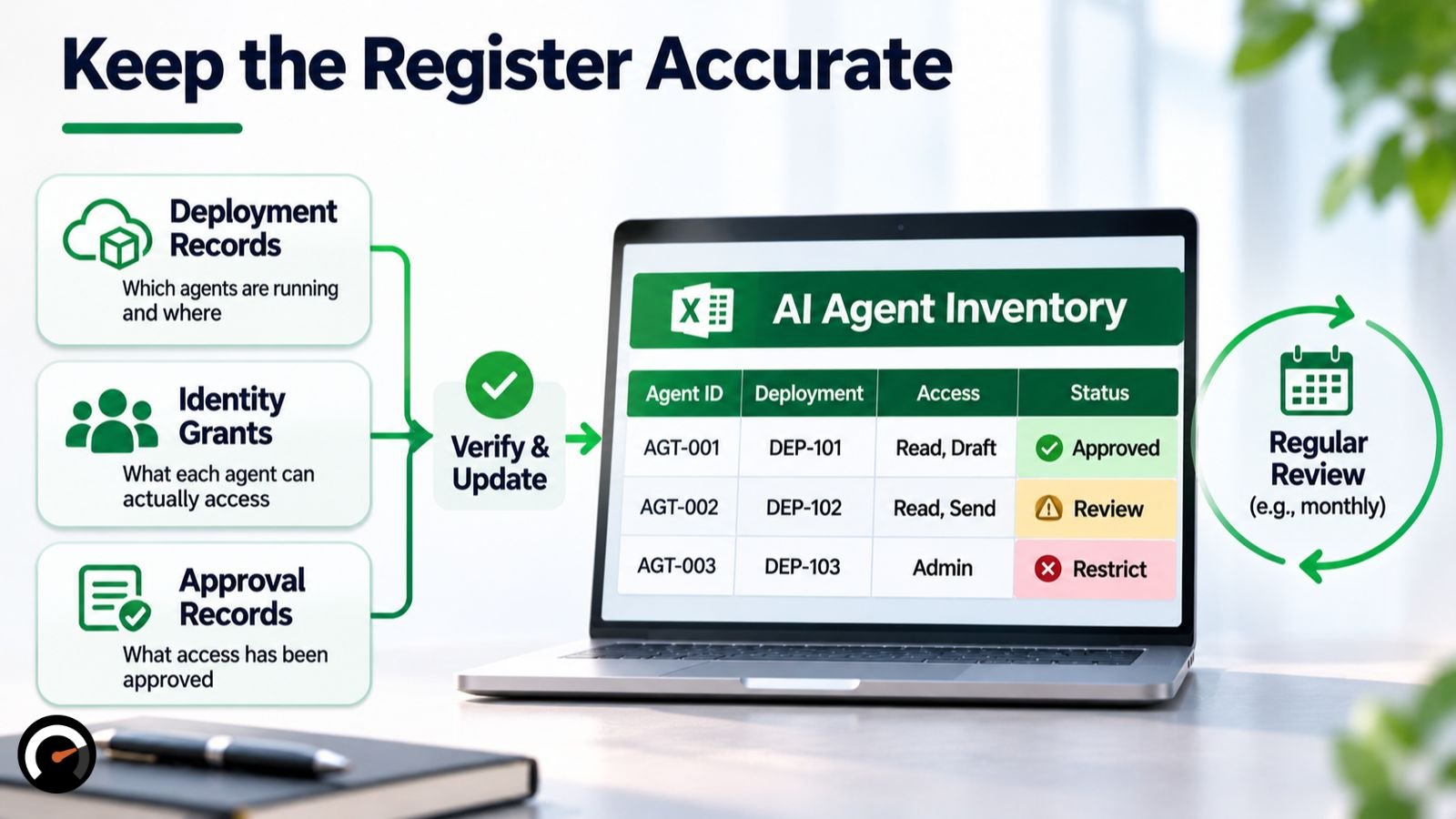
Four cross-checks to run
- Find deployments with no inventory row. Start with agent-platform and SaaS admin consoles, plus deployment or scheduler records for in-house workflows. Then ask teams which agents, automations, and MCP servers they run, and check for employee-installed assistants and AI features embedded in tools you already pay for. OAuth grants and engineering repositories offer leads where available, though neither proves a deployment is running. Afterward, assign someone to confirm each find’s owner, purpose, and approval.
- Find rows with no matching deployment. Check whether the agent is proposed, paused, retired, or running elsewhere. Before you mark a deployment Retired, confirm that its scheduled runs are off and that you removed access it no longer needs. Keep the historical row.
- Compare permissions with the approval. Check the deployment and account, not just the tool name. Record a confirmed mismatch, or mark the field Unknown when evidence is missing, and give the issue an owner and a due date.
- Close issues with fresh evidence. Decide up front what will prove the fix. Closing ISS-014 in the example requires a check of the live workflow and its grants, because editing the workbook closes nothing.
Review cadence and when to outgrow a spreadsheet
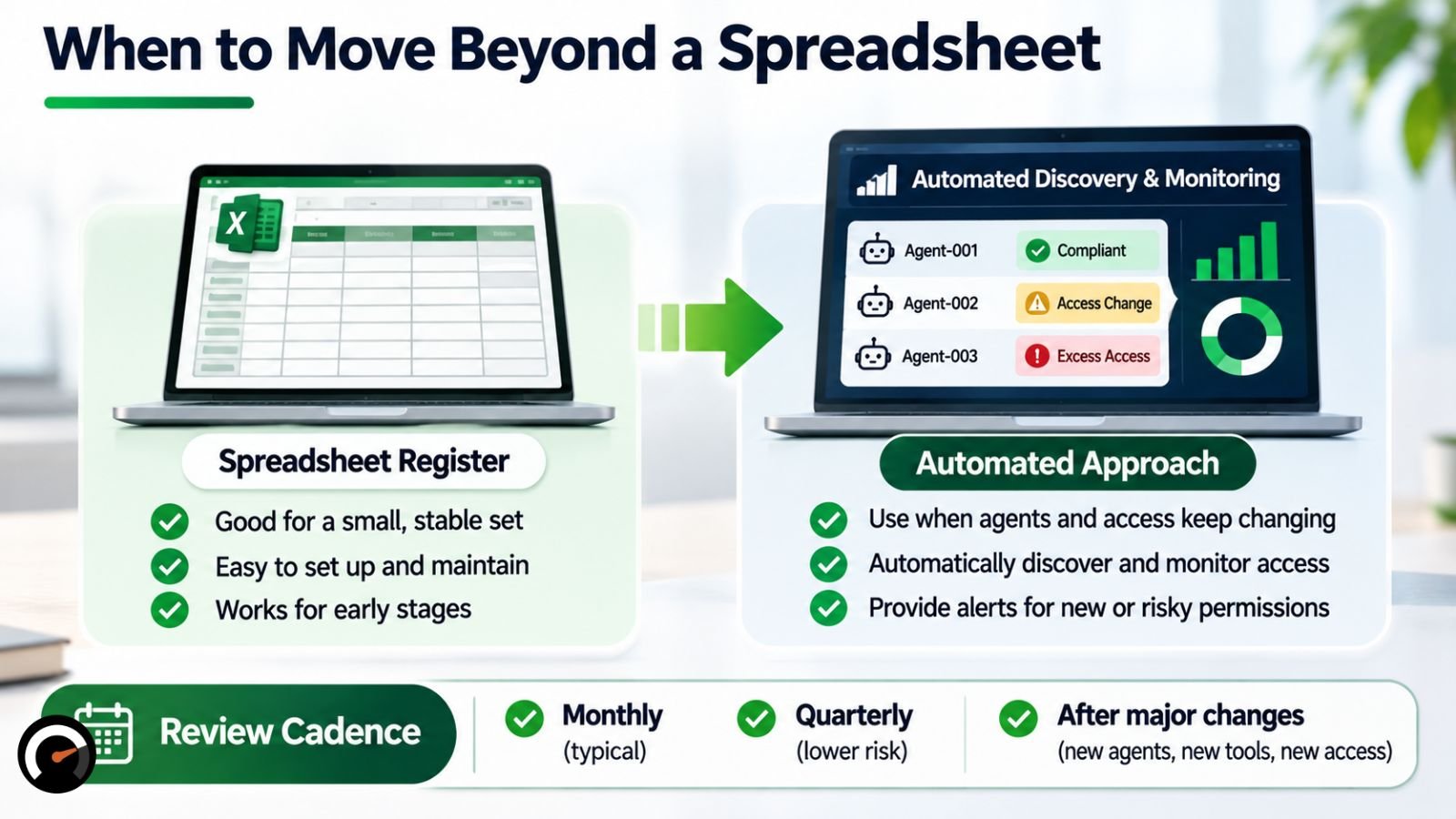
Next, update a row when ownership, deployment status, tools, permissions, or approval limits change, and recheck after any model or workflow change that alters what the agent can do. Moreover, set the routine review interval by the consequence of a wrong or unauthorized action. You might review agents that send messages, spend money, or change records monthly and read-only agents quarterly; that’s an illustration, not a standard. Likewise, don’t wait for a review date to record a known change. Beyond that, give these checks an owner in your access review process, and name one person to own the register itself.
In practice, a manual register works for a small number of deployments. Once agents appear or change faster than people can update rows, feed the register from admin-console exports or move to a platform that discovers deployments, and keep the same fields.
Frequently asked questions
Q. Is an AI agent inventory the same as an AI risk register?
No. An inventory records what exists, who owns it, and what it can do. A risk register records what could go wrong, which controls exist, and who owns the response. One deployment can carry several risks, so link the two records by agent or deployment ID rather than cramming risk scores into the inventory row. That’s also why the workbook has no risk-score column.
Q. How is an AI agent inventory different from an agent registry or an AI system inventory?
The terms vary by source. NIST’s AI RMF says “AI systems,” while Microsoft’s agent registry is a list where administrators publish, reject, or reassign agents. Therefore, check how your organization or vendor defines each word. This template works as an inventory of deployed agents, and it can feed a registry or a broader AI system inventory if you keep one.
Q. What if the vendor won’t disclose the model or effective permissions?
Mark the field Unknown. Then record what the vendor does disclose, which evidence is missing, and who owns the follow-up. An undisclosed model version and an unverified permission limit are different gaps, so prioritize the one that decides whether you can approve the workflow.
Start with one agent that can send messages, spend money, or change records. Then verify its deployment against its approval and connector permissions. If the evidence disagrees with the register, assign the mismatch to someone who can resolve it before you move to the next row.
Related: Authority to Bind in AI Agent Terms of Service: Who Is Liable?
| Disclaimer: This AI agent inventory template is provided for informational and educational purposes only. It is a manual tracking tool, not an automated security audit or compliance certification. The completed example is fictional. Organizations should independently verify agent permissions, deployments, and applicable security requirements before relying on the information. |
Test this on a real task
The audit is free and takes about ninety seconds. It returns a verdict, a readiness score and the supervision the task would need.
Run the audit