
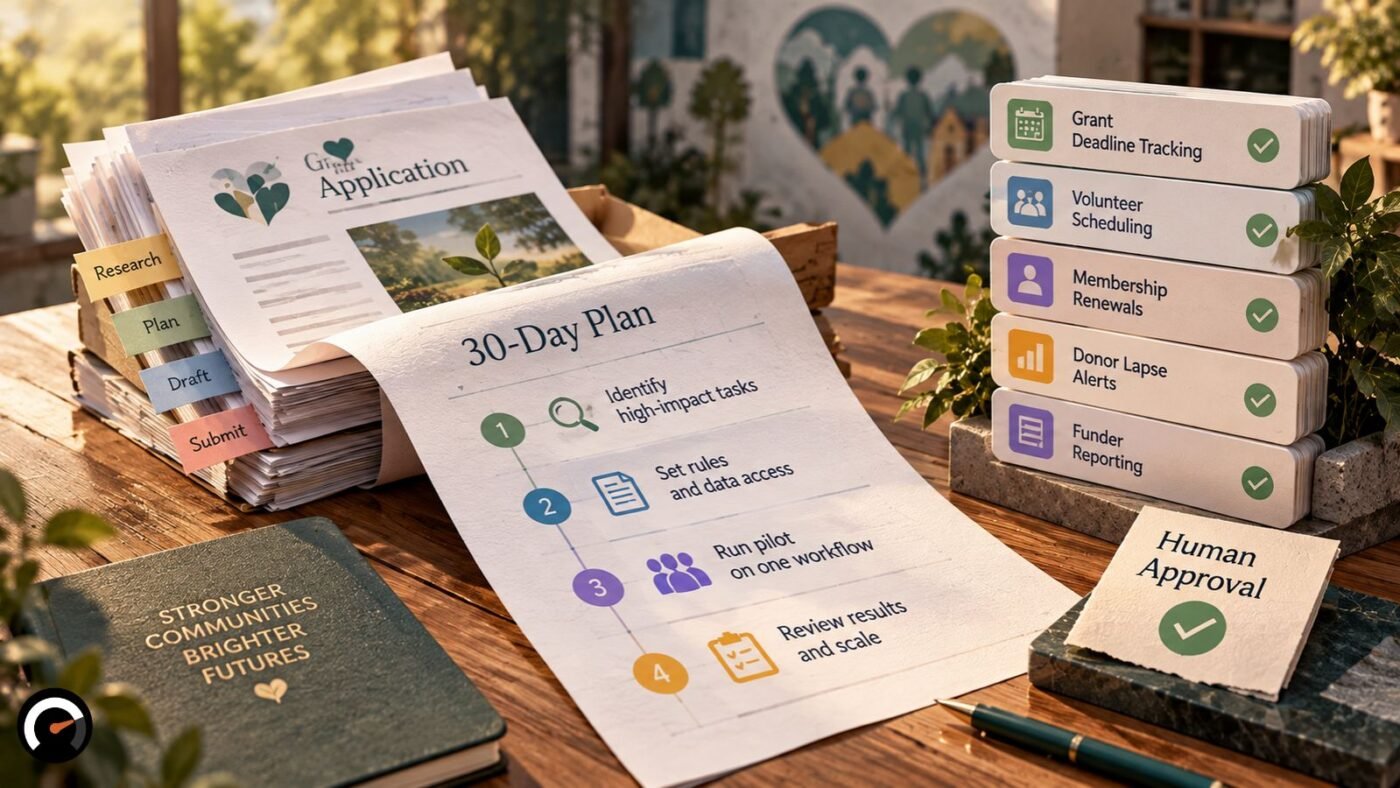
Pick one dull, repetitive job. Let an AI agent do the prep work on it, put a named staff member in charge of approving what comes out, and get a one-page AI policy signed off before the agent sees a single donor or client record.
That’s the plan in a paragraph. The order is where most teams slip. They buy a tool first and work out the rules later, if they ever do.
The rest of this guide fills in the detail: which tasks to try first, where a person has to sign off, how a 30-day pilot runs, what the donated Salesforce and Microsoft licenses actually cover, and when an agent is simply the wrong answer.
Why Nonprofits Need Rules Before They Need AI Agents
Plenty of nonprofits already use AI. Far fewer have decided who is responsible for it. Two 2026 surveys make that gap hard to miss.
Virtuous and Fundraising.AI asked 346 nonprofits about their AI use in December 2025. In The 2026 Nonprofit AI Adoption Report, 92% said they use AI somewhere in their work. Only 7% reported major strategic impact, and 47% had no AI governance policy at all.
NTEN and Bridgespan cast a wider net, surveying more than 900 nonprofit workers (roughly 60% of them executives). Just 4% said their organization had fully integrated AI into operations, and fewer than 40% had a written AI policy.
One caveat on the first study. Virtuous sells fundraising software and its questions centred on fundraising, so its numbers are a signal rather than a census of the sector. The two surveys also define things differently, which makes lining up their percentages a bad idea.
Where they agree is telling. Getting hold of AI tools is the easy bit now. Deciding who owns them, and who checks their work, is where most organizations stall.
What Is an AI Agent, and How Is It Different From a Chatbot?
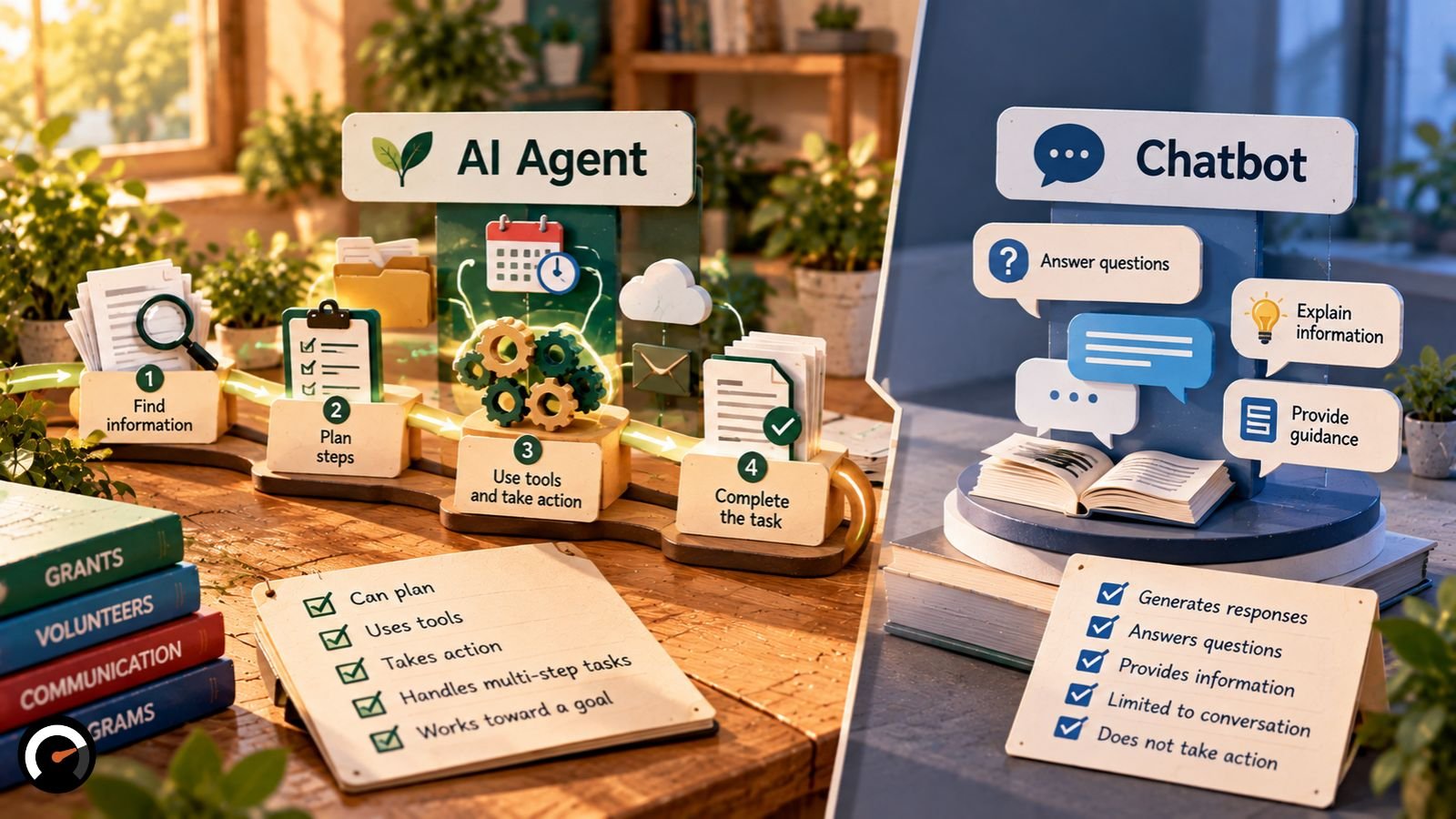
An AI agent takes a goal and works toward it over several steps. It picks a next move, uses a tool or your data to carry it out, looks at what happened, then decides what to do after that. A chatbot answers your question and waits for the next one.
That loop is how AI agents actually work, and it is also where the risk comes from. An agent can act inside your CRM, your inbox or your calendar. What it’s allowed to touch, and what needs a human’s okay first, matters about as much as the model underneath.
Watch the label, too. Vendors call all sorts of things “agents,” plain scripted automation included. Two questions cut through the pitch quickly:
- What does the system decide by itself?
- What does it only draft for someone to approve?
Sometimes the honest answer is that you don’t need an agent at all. Plenty of nonprofit chores run fine on simple if-this-then-that rules, so weigh rules-based automation versus AI before paying for either.
One quick check before any donor or client data goes in: can the system hand a case to a named person, with the context attached? If it can’t, it isn’t ready.
Which Nonprofit Tasks Should You Give an AI Agent First?
The best first tasks are a bit boring. They come round every week, they follow rules someone could write down, and a staff member can check the result in a few minutes. Grant deadline tracking, volunteer scheduling and membership renewals all fit.
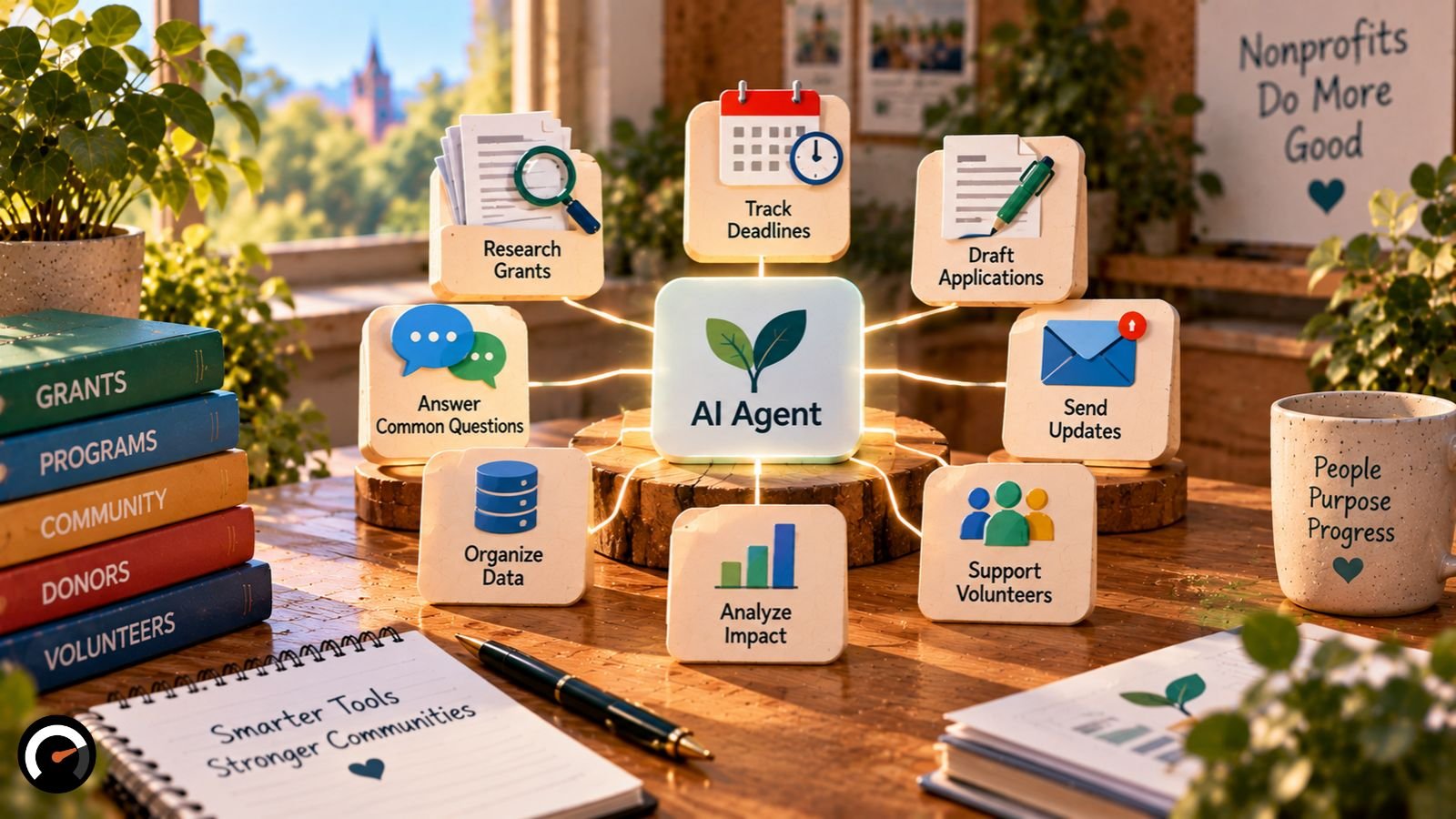
Client intake, eligibility decisions and crisis contact are another matter. Get one of those wrong and a real person pays for it, so a trained staff member stays in front of the agent.
| Task | Agent prepares | Staff decide | Damage if wrong |
|---|---|---|---|
| Grant deadline tracking | Scans listed sources, logs dates, drafts reminders | Whether to apply | Low |
| Volunteer scheduling | Matches availability, drafts confirmations | Conflicts and odd cases | Low |
| Membership renewals | Flags lapsing members, drafts notices | Wording and who gets contacted | Low to medium |
| Donor lapse alerts | Flags drops in giving | Outreach and tone | Medium |
| Funder reporting | Pulls program data, drafts the narrative | Accuracy and framing | Medium |
| Client intake and routing | Collects details, suggests a route | Eligibility and urgent cases | High |
How we rated them: we looked at how repeatable each task is, how much judgment it takes, and how bad a wrong output would be. AI Work Audit scores tasks through the same lens of repeatability, judgment, and risk. Your own programs may push a rating up or down, and that’s fine.
One thing shifts every rating. Once an agent can send messages or edit records with nobody checking, a small slip reaches a donor. Before that point, the slip just sits in a review queue until someone spots it.
Where Does a Human Need to Approve an AI Agent’s Work?
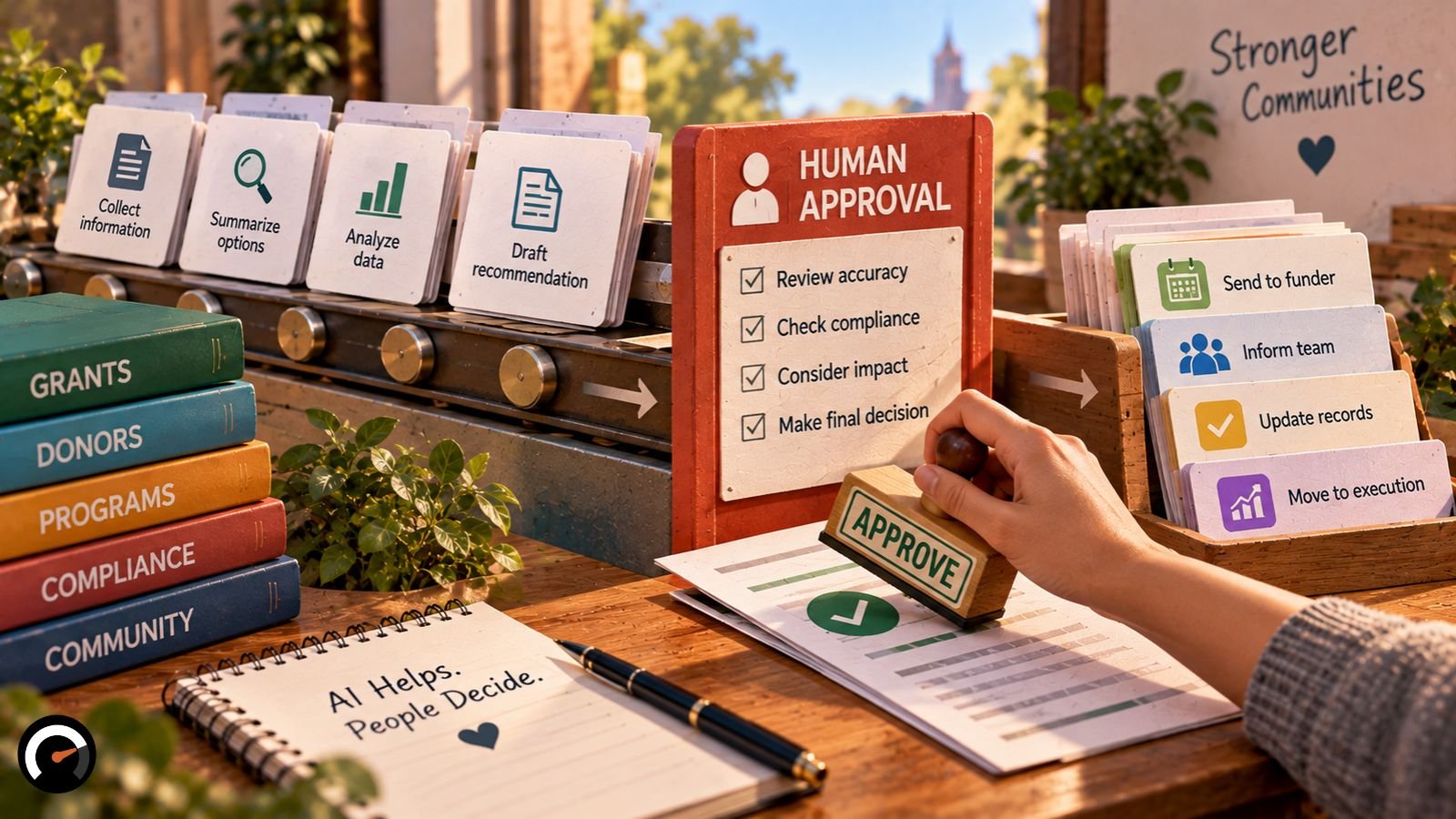
Three kinds of action always need a person’s sign-off: anything that leaves your organization, any change to your system of record, and anything that affects whether someone gets a service. Alerts that only go to staff can run on their own.
Set each approval gate by what the agent is able to do. A vendor’s name tells you very little about how much harm one bad action could cause.
| Tier | What the agent does | Approval gate |
|---|---|---|
| 0: Notify | Reads approved sources and alerts staff | None needed |
| 1: Draft and queue | Prepares messages or records | Staff approve each item |
| 2: Act with review | Sends or updates within strict limits | Staff spot-check samples; one-step shutdown |
| 3: Never automate | Crisis contact, eligibility, safeguarding | Trained staff only |
We’d treat Tier 2 as something a workflow earns. Moving up from Tier 1 is really a choice between augmentation or full automation, and your pilot’s correction log is the right thing to settle it.
What Should a Nonprofit Put in Place Before Building an AI Agent?
Three things, and none of them is software. A policy short enough to fit on one page. One person who owns it. Tighter limits on the data an agent can reach.
The reason is plain enough. An agent speeds up whatever process it’s dropped into, messy ones included. Drafting the policy takes about a meeting, and it will protect you more than any tool setting.
A Starter AI Policy You Can Adapt in One Meeting
- Owner: one named person approves new AI tools and new uses.
- Allowed: the approved tools, and the data each one may touch.
- Never enter: client case notes, health details, children’s data, ID or payment-card numbers, and anything a donor asked you to keep private.
- Review and logging: a person approves outbound messages, the tool logs what it does, and staff report errors to the owner.
- Disclosure: donors hear from you when AI drafted something they received.
That last line is the one most nonprofits skip, and donors notice. In the Blackbaud Institute’s 2026 research, 76% of donors said organizations should clearly disclose when and how AI is used. Only 26% of nonprofit professionals said their own organization does so today.
How Much Data Access Should an AI Agent Get?
As little as the job needs. Give it read-only access to the specific fields the task uses, and run it under its own account instead of borrowing a senior staff login. With a separate identity per agent, you can scope, audit and revoke access in one step if something goes wrong.
Keep a log of what it does, and make sure someone can switch it off straight away.
Privacy rules hinge on where you work and who you serve. GDPR or HIPAA might apply to you, or neither might. If regulated data is anywhere in the picture, talk to a lawyer before connecting an agent.
Why Staff Time Matters More Than the License Fee
Nonprofits that struggle with AI usually aren’t short of software. They’re short of time and training. In the NTEN and Bridgespan report, 57% of executives had no dedicated AI budget, 37% weren’t training staff on the AI tools they already had, and 58% had no AI roadmap.
Canada shows a similar pattern. Imagine Canada’s AI adoption report found that staff time, skills and access to knowledge did more to drive adoption than money did. When you budget for an agent, budget the hours as well.
Example: A Grant-Deadline Agent, Step by Step
Grant tracking is a good first build because it never touches donor or client records. What follows is a proposed design for a first project, not a write-up of a real deployment.
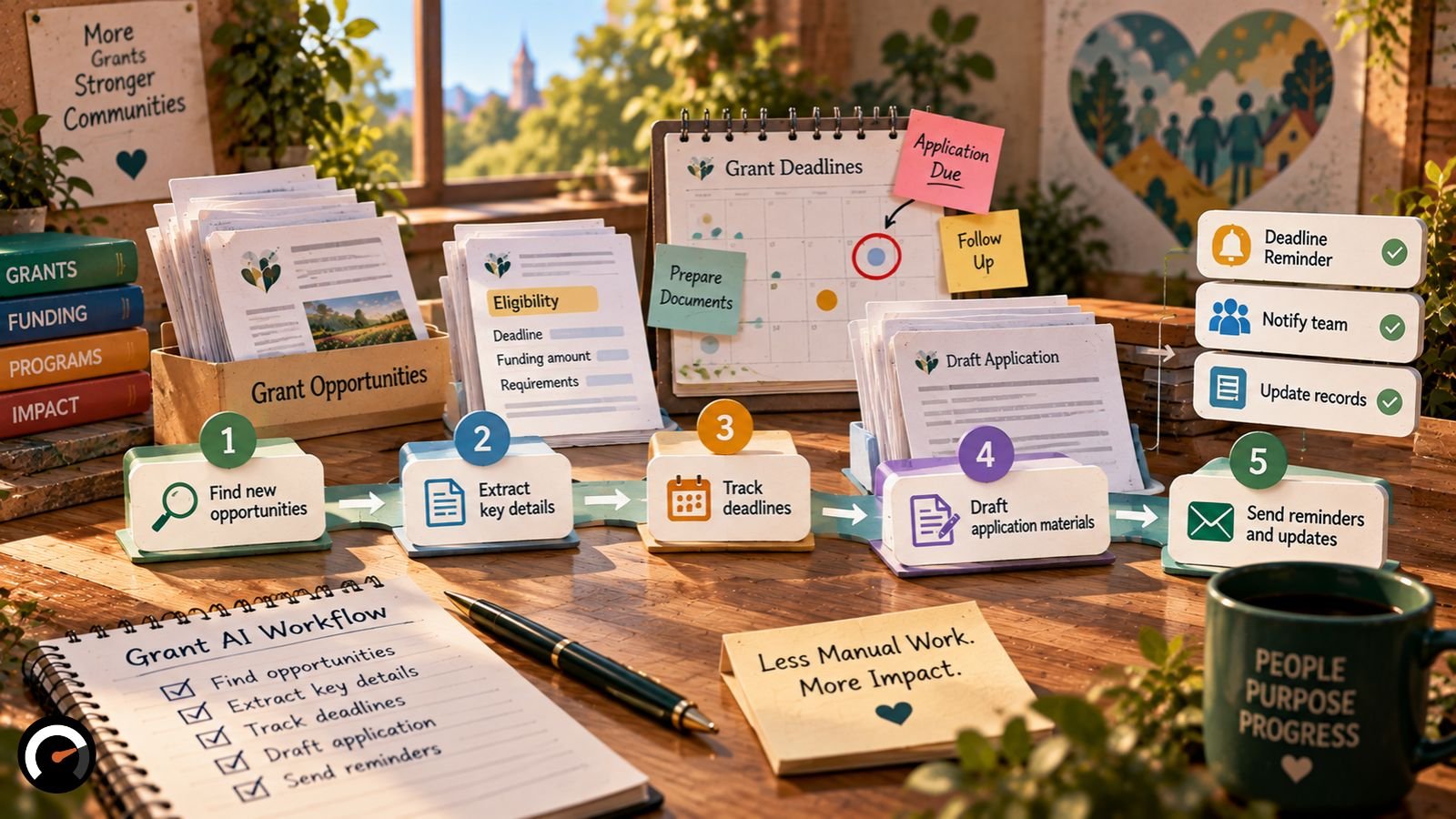
- The agent reads only the funder websites and newsletters on an approved list.
- It pulls out eligibility rules and deadlines, flagging anything it’s unsure of for a person to check.
- It treats every page and email as data. Instructions hidden in a source get ignored.
- Each finding goes into a review queue. The agent never sends an application or an outside message.
- A staff member approves each record before it lands on the shared calendar.
Step 3 earns its place. A grant agent spends its day reading text written by strangers, and Auth0 warns that attackers can hide malicious instructions in grant text or donor emails to take over an agent’s logic.
The likeliest failure is duller. A funder quietly moves a deadline, the agent keeps the old date, and nobody notices. Step 5 exists for exactly that.
How Do You Run a 30-Day AI Agent Pilot?

Run the agent next to your existing manual process for about three weeks and write down every correction. On day 30, decide whether to keep it, change it or drop it. Record a baseline before you start, though. Without one, you’ll have no way to show the agent helped.
| Days | Activity | Deliverable |
|---|---|---|
| 1–5 | Pick the workflow and owner; record the baseline | Approved scope |
| 6–10 | Set permissions; clean source data | Test setup |
| 11–20 | Run the agent beside the manual process | Error and correction log |
| 21–25 | Fix failures; tighten limits | Updated workflow |
| 26–30 | Review accuracy, cost and staff feedback | Continue, revise or stop |
Treat these dates as a rough shape. A two-person team might need six weeks. For grant tracking, a decent baseline is last month’s hours spent chasing deadlines, plus the number of internal reminders that slipped through.
What Can Go Wrong When a Nonprofit Uses AI Agents?
Five problems come up again and again: data leaking out, prompt injection, donor messages that strike the wrong note, vendor changes nobody approved, and software left to handle sensitive conversations. The fixes are mostly unglamorous. Keep access narrow. Make someone approve outbound messages. Put trained people on any high-stakes contact. And write contract terms that stop a vendor changing your setup without telling you.
Leaders and staff worry about different things, which is worth knowing before you pitch an agent internally. More than half of executives in the NTEN and Bridgespan survey named data, privacy and security as the biggest barrier. Frontline staff were more concerned about AI’s environmental impact.
Tone does slower damage. People give to people, and an automated note that reads like a template can cost more goodwill than the staff time it saved.
What the NEDA Tessa Chatbot Shows About Vendor Change Control
In 2023, the National Eating Disorders Association pulled its Tessa chatbot after users reported it was handing out harmful dieting advice. NEDA said its operator, Cass, had changed Tessa without NEDA’s approval so the bot could generate new answers. Cass said the problem language had been pre-scripted.
The two sides still disagree about the cause. The practical lessons hold whoever was right:
- Test with vulnerable users in mind before launch.
- Make every vendor change need your sign-off.
- Keep people on crisis support.
Tessa was a chatbot rather than a multi-step agent. The case is a warning about putting any automated tool in a sensitive setting, and agents fall squarely inside that.
When Should a Nonprofit Not Use an AI Agent?
Hold off if nobody can describe the process step by step, if the data feeding it is unreliable, if the work involves crisis or eligibility decisions, or if no one has time to own oversight. A vendor that can’t explain how it handles your data is another good reason to walk away.
For small enough workloads, a shared spreadsheet and a calendar reminder will often do the job better.
How Much Do AI Agents Cost a Nonprofit?
Expect four kinds of cost: licenses, usage, staff time and upkeep. Donated licenses cover part of the first and none of the rest. Nonprofit programs change often, so confirm eligibility, edition and current terms with the vendor before planning around them.
| Route | Best for | What to know |
|---|---|---|
| Salesforce (CRM-native) | Teams already on Salesforce | Power of Us donates 10 Nonprofit Cloud Core licenses. Salesforce lists Core with 500,000 Flex Credits per org per year for AI and Agentforce use. Some agents, Help Agent among them, cost extra or come with higher editions. |
| Microsoft stack | Teams on Microsoft 365, Dynamics or Power Platform | $2,000 in Azure credit a year, which doesn’t roll over. Copilot is discounted for nonprofits but needs a Microsoft 365 license. |
| Standalone no-code builders (Zapier, Make or n8n, for example) | Pilots that span separate systems | Integration, upkeep and data-handling checks are on you. |
If you’ve read older guides promising “10 free Enterprise licenses” from Salesforce, they describe a lineup Salesforce retired in September 2026. Check what your donated seats include now.
It’s tempting to crown one route the cheapest. Hold off until you’ve compared the licenses you already hold with how much you expect to use.
A Rough Monthly Cost Model
These are placeholder numbers to show the arithmetic, not benchmarks:
- Software and usage: $60
- Oversight: 3 hours × $25 = $75
- Maintenance: 2 hours × $25 = $50
- Recurring cost: $185
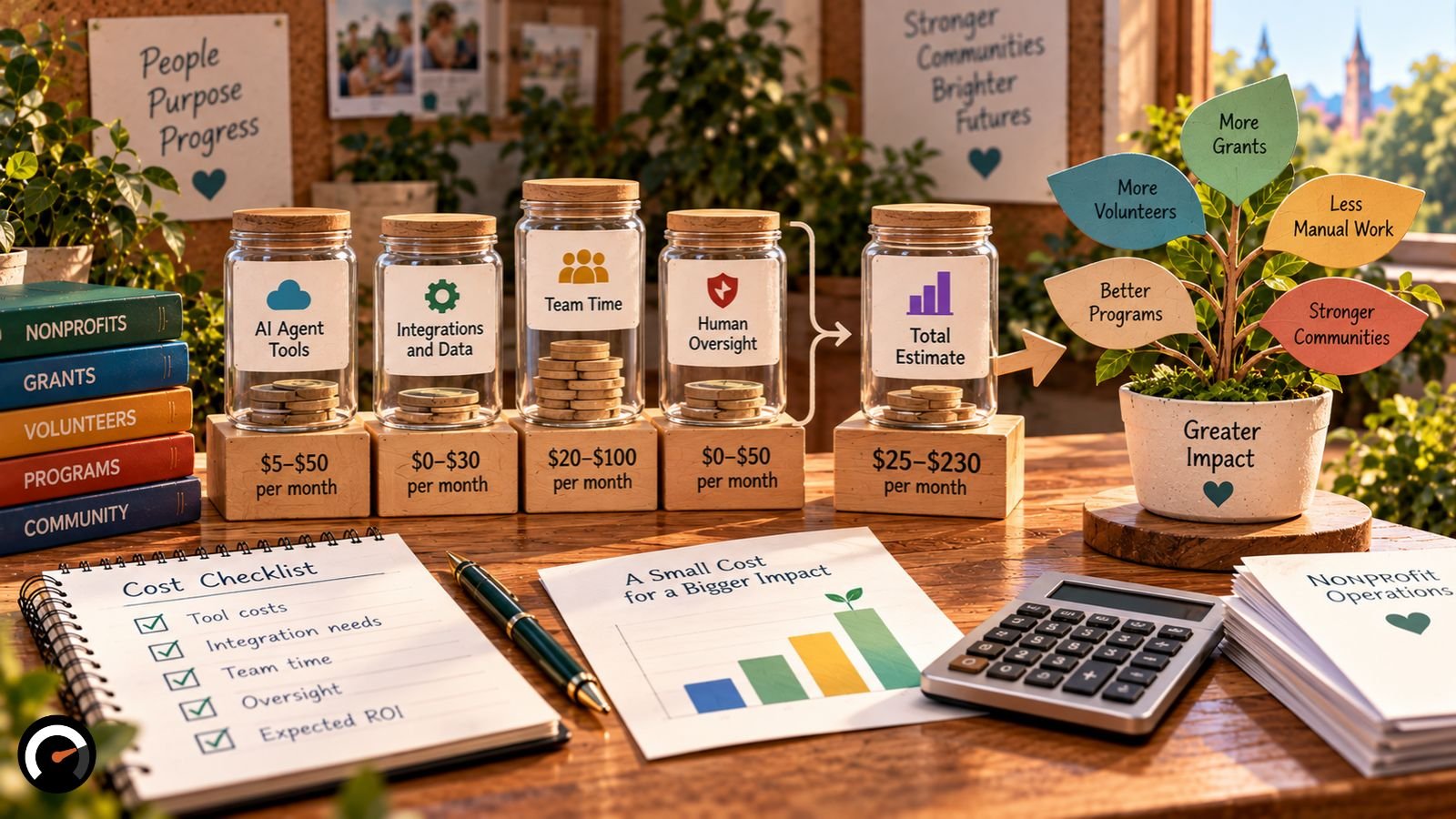
Say the agent saves 12 staff hours a month at $25 an hour. That’s $300 of time, or $115 ahead before setup costs. Saved hours only become money once you move them to work that brings in revenue or cuts costs, so swap in your own figures.
How Do You Know if an AI Agent Is Worth Keeping?
Watch four numbers: staff hours on the task, how often outputs need correcting, turnaround time, and how often staff override the agent. Set a target for each before launch. If overrides are still high after a few weeks, redesign the workflow rather than layering on more automation.
Two formulas keep the review honest:
- Time saved = baseline hours − current hours
- Net value = (hours saved × hourly staff cost) − (software + oversight + maintenance)
Then report the result against something your board already tracks, like grant deadlines met or member renewals. As for what good looks like, the 7% in the Virtuous survey who reported major impact talked about doubling their prospect research capacity and moving staff time from execution to strategy.
Want to stress-test a task before the pilot starts? A free task automation audit weighs supervision cost and risk next to the savings.
Start Small: One Workflow, One Approver, One Policy
So how should a nonprofit use AI agents? Narrowly, at least to begin with. One low-risk workflow, a named approver and a written policy give you a test you can measure, and one you can stop.
The evidence on results is still thin. The surveys above rely on what organizations report about themselves, and few have run a clean before-and-after comparison. Your own correction log will teach you more than any benchmark, and if it stays heavy, stopping is a perfectly good outcome.
Frequently Asked Questions
Q. What should an AI agent never do without approval?
Send anything outside the organization, change your system of record, or touch client eligibility. All three sit at Tier 1 or above in the approval table.
Q. Do the free Salesforce nonprofit licenses include AI agents?
Partly. The donated seats are now Nonprofit Cloud Core licenses, and Salesforce lists Core with a Flex Credit allowance for Agentforce. Some agents, such as Help Agent, are still sold separately, so check your contract.
Q. How long does it take to set up a nonprofit AI agent?
Roughly a month for the first workflow, following the pilot schedule above. Teams with one part-time admin often take longer.
Q. What’s the cheapest safe first AI agent project?
Grant deadline tracking. It works from public funder information, and staff review every record before it reaches the calendar.
Q. How do I brief my board on an AI agent in one page?
Cover the workflow, the data the agent touches, the approval gate, how you’ll judge success at day 30, and how you’d shut it down.
Q. How do I stop a vendor changing my AI agent without warning?
Write change notification and approval rights into the contract, then check the agent’s activity logs on a set schedule.
Q. Can nonprofits use AI agents with regulated data?
Sometimes, depending on where you operate and who you serve. Have a lawyer who knows your sector review the setup before any regulated records are connected.
Related: Should AI Agents Have Their Own Identity? The Hidden Security Risks
| Disclaimer: This article is for informational and educational purposes only. It does not constitute legal, cybersecurity, data protection, or professional advice. AI tools, nonprofit licensing terms, and applicable regulations may change, so verify current requirements with the relevant providers and qualified professionals before implementation. Examples, task ratings, cost estimates, and the proposed 30-day pilot are illustrative, not guarantees of performance or savings. Nonprofits remain responsible for human oversight, data protection, and decisions affecting donors, staff, and beneficiaries. |
Test this on a real task
The audit is free and takes about ninety seconds. It returns a verdict, a readiness score and the supervision the task would need.
Run the audit